Links break quietly. A product is discontinued, a blog post gets a new slug, a partner site closes down, and nothing on your end changes. No error is logged anywhere you'd look. The first sign is usually a visitor who clicked, hit a dead end, and left.
Nobody's site is free of them for long. What matters is having a routine that catches them before they pile up.
Two kinds, two owners
Internal links point to your own pages. They're completely in your hands, and they matter more: a broken one wastes a visitor who was already on your site and interested, and it cuts off a page from the rest of your site's links.
External links point elsewhere. You can't fix the other site, only your link to it. They're still worth checking, because a page full of dead references reads as neglected.
Not every error means the same thing
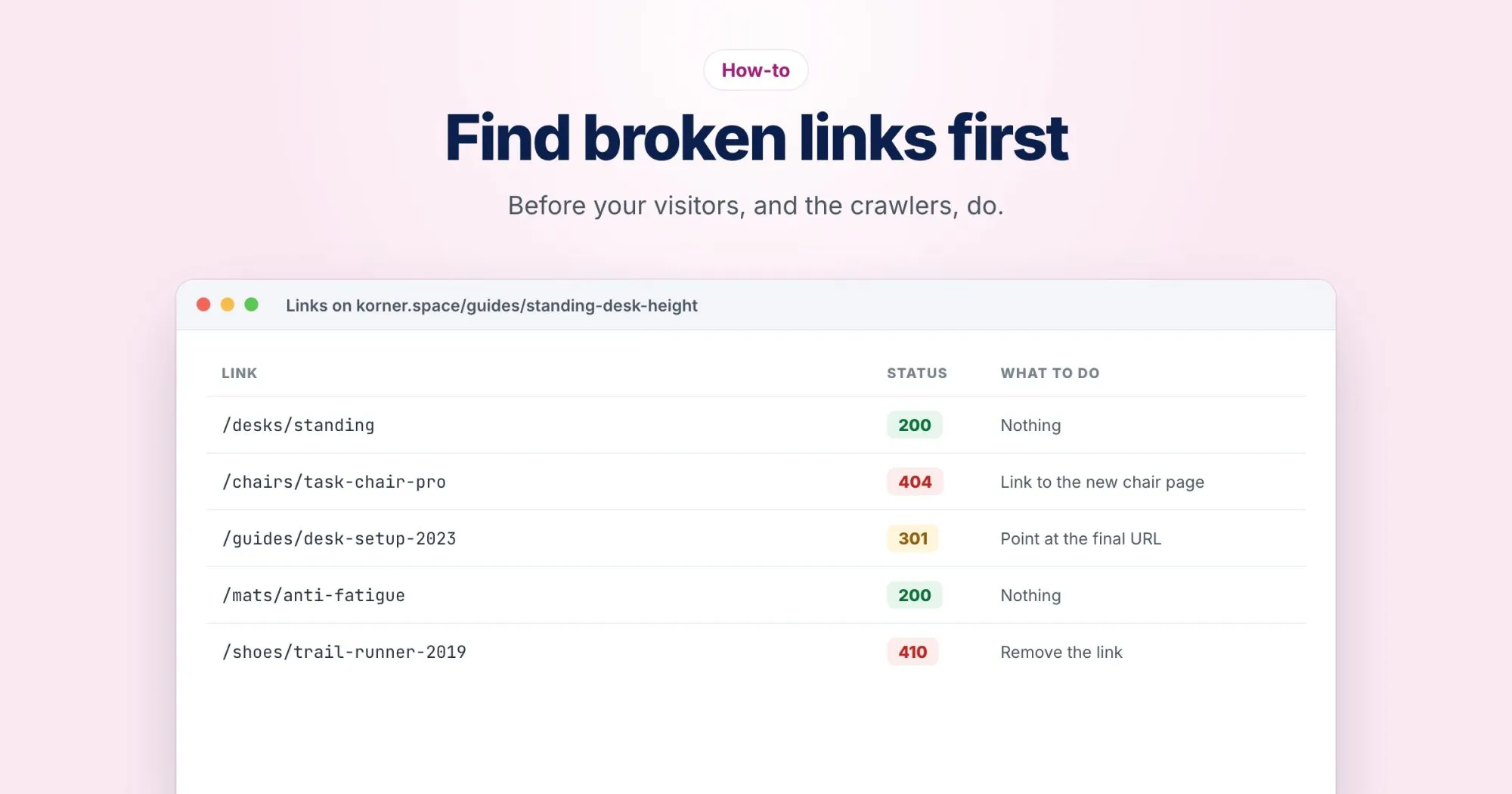
When you check a link, the status code tells you what kind of problem it is:
| What you see | What it usually means | What to do |
|---|---|---|
| 404 Not Found | The page isn't there, maybe moved, maybe gone | Find where it went, or remove the link |
| 410 Gone | Removed on purpose, for good | Remove or replace the link |
| 5xx server error | The other server is having a bad moment | Check again later before acting |
| Timeout | Slow or unreachable, often temporarily | Check again later before acting |
Treat 404s and 410s as real. Treat a single 5xx or timeout as a maybe, and only act when it keeps happening. Soft 404s, pages that say "not found" but answer 200, won't show up in this kind of check at all; this post on soft 404s covers finding those.
Redirect the old URL, or update the link?
Usually both, and in that order.
If one of your own pages moved, say korner.space renamed /desks/oak-standing to /desks/standing-oak, add a 301 from the old address to the new one. That rescues every link you don't control: other sites, old emails, bookmarks.
Then update your own links to point straight at the new URL. A redirect is a safety net, not a destination, and leaving your internal links on old addresses is how redirect chains start.
If the page is gone with no real replacement, don't redirect it to the homepage. Remove or rewrite the links that pointed to it and let the old URL return 404 or 410.
How often to check
- After any restructure, migration or bulk delete. This is when most internal links break, all at once.
- Monthly, for the whole site. Enough to catch external links that died since last time.
- Before promoting a page. A campaign landing page deserves a quick look the day before it goes out.
Make the 404 page earn its keep
Some visitors will still land on a missing page. A good 404 page admits the page isn't there in plain words, offers a search box, and links to the few places most people want: the main categories, popular pages, a way to get in touch. It must still answer with a real 404 status, not a 200.
It's also worth watching which URLs hit it. A missing page that gets steady traffic is a redirect you haven't written yet.
Tools for the checking part
For one URL, the free Redirect Checker shows the status code it answers with, and every hop if it redirects. A WebRankPage report checks the links on the page it analyzes, internal ones first, and lists any that return an error. On onbixo.com/pricing it checked 25 links and every one resolved, which is what you're aiming for. For the whole site at once, a site crawl finds broken links across every page it reaches.