Here's a conversation I have often. Someone made a change to a page, rankings went up the following week, and they want to know if they should make the same change everywhere.
Maybe. But rankings also go up after algorithm updates, when a competitor breaks their own site, and when the season changes. If you don't measure carefully, it's easy to credit the wrong thing and repeat it across fifty pages.
Here's the routine I suggest.
1. Record a baseline before you touch anything
This is the step everyone skips, and it's the one that makes everything else possible. Before you change a page, run a report on it and note where it stands in Search Console: impressions, clicks, average position.
Without a "before", every "after" is a guess.
2. Change one thing at a time
If you rewrite the title, the headings and the intro on the same day, you'll never know which one mattered. Where you can, make one change per page and leave it alone while you measure.
3. Keep a control group
Pick a few similar pages that you don't change. If your edited pages rise by 10% and the untouched ones rise by 10% too, the market moved, not your pages. This one habit will save you from a lot of false conclusions.
4. Wait long enough
Different changes take different amounts of time to show:
| Change | Give it about |
|---|---|
| Title or meta description | 1 to 2 weeks, once the page is recrawled |
| Technical fixes (canonical, noindex, redirects) | 2 to 4 weeks |
| Content improvements | 4 to 8 weeks |
| Internal links and site structure | A month or more |
Checking every morning is tempting. It's also mostly noise.
5. Compare before and after side by side
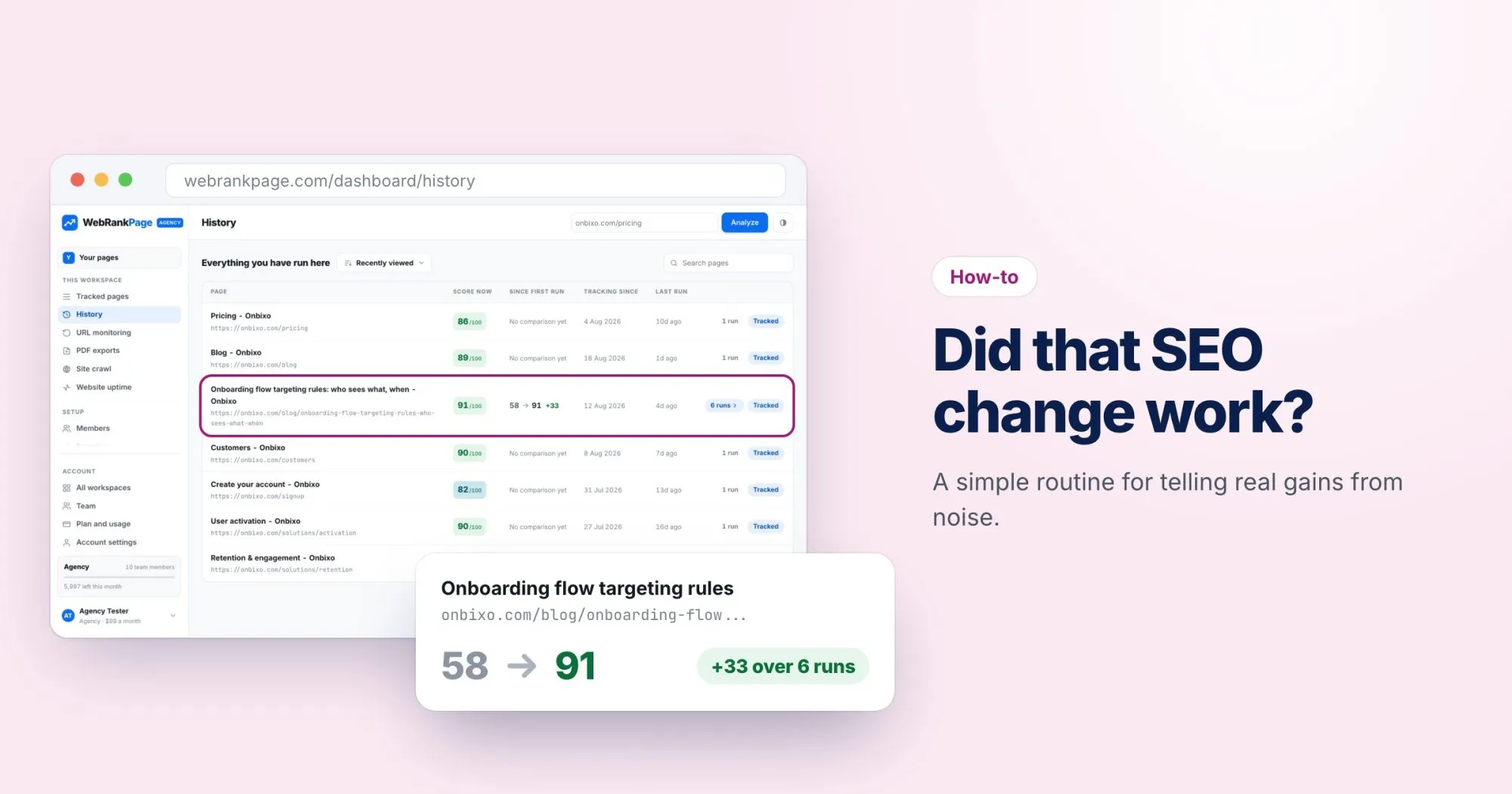
This is where keeping history pays off. In WebRankPage, every page you track keeps every report you've run on it. The History page shows each page's score now, how much it has moved since the first run, and how long you've been tracking it.
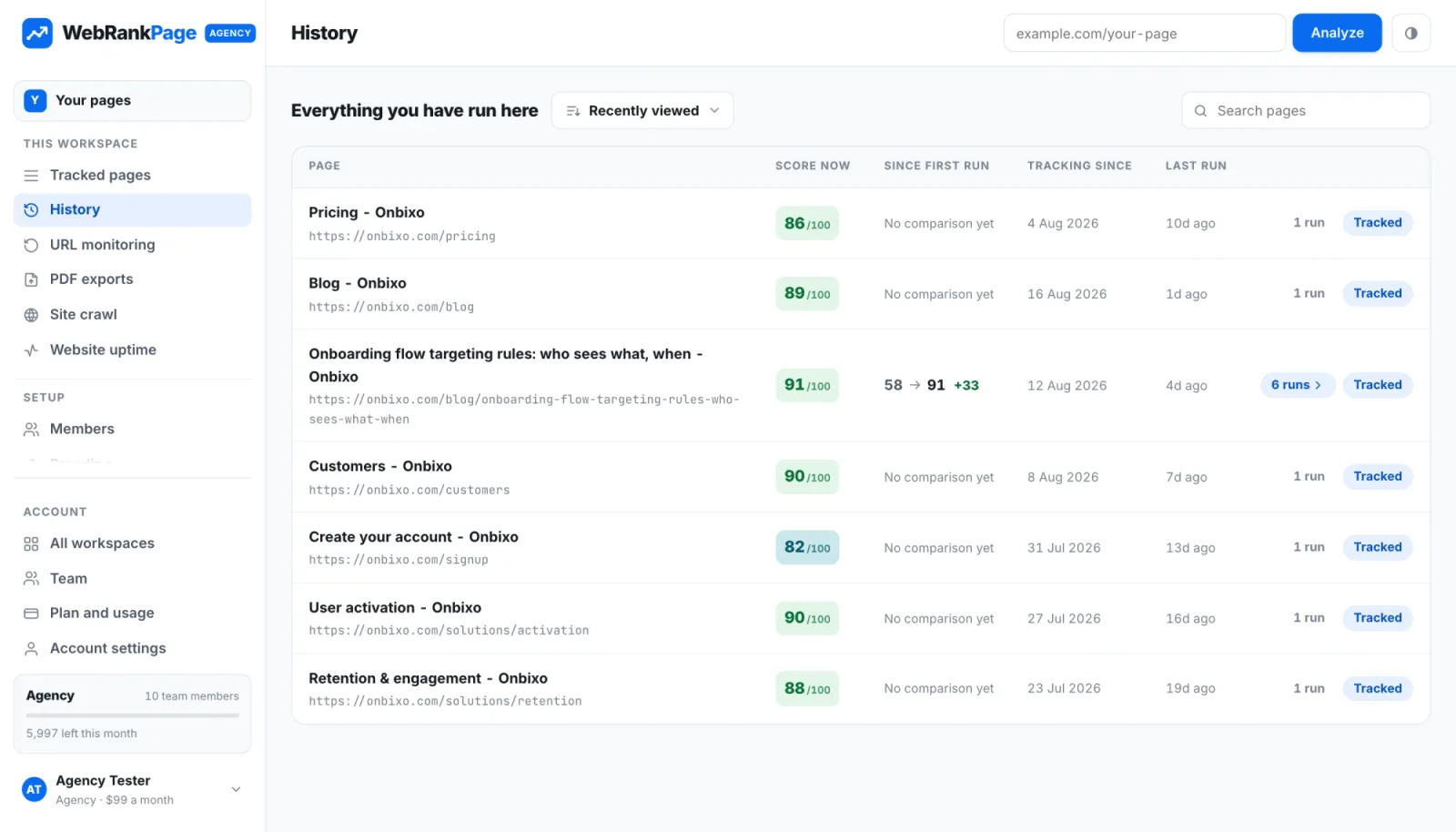
A jump like 58 to 91 tells you the changes on that page fixed real problems. Open the runs and you can see exactly which findings disappeared between them.
6. Write down what you did
Keep a simple log: the date, the page, what you changed. When a page moves three weeks later, you'll know what to look at. In the uptime monitor you can even attach a note to an incident, but a shared document works fine for everything else.
A note on scores
A better report score means the page has fewer technical and on-page problems. It doesn't guarantee better rankings, because rankings also depend on content, links and competition. Use the score to confirm your fixes landed, and Search Console to see what they did for traffic.