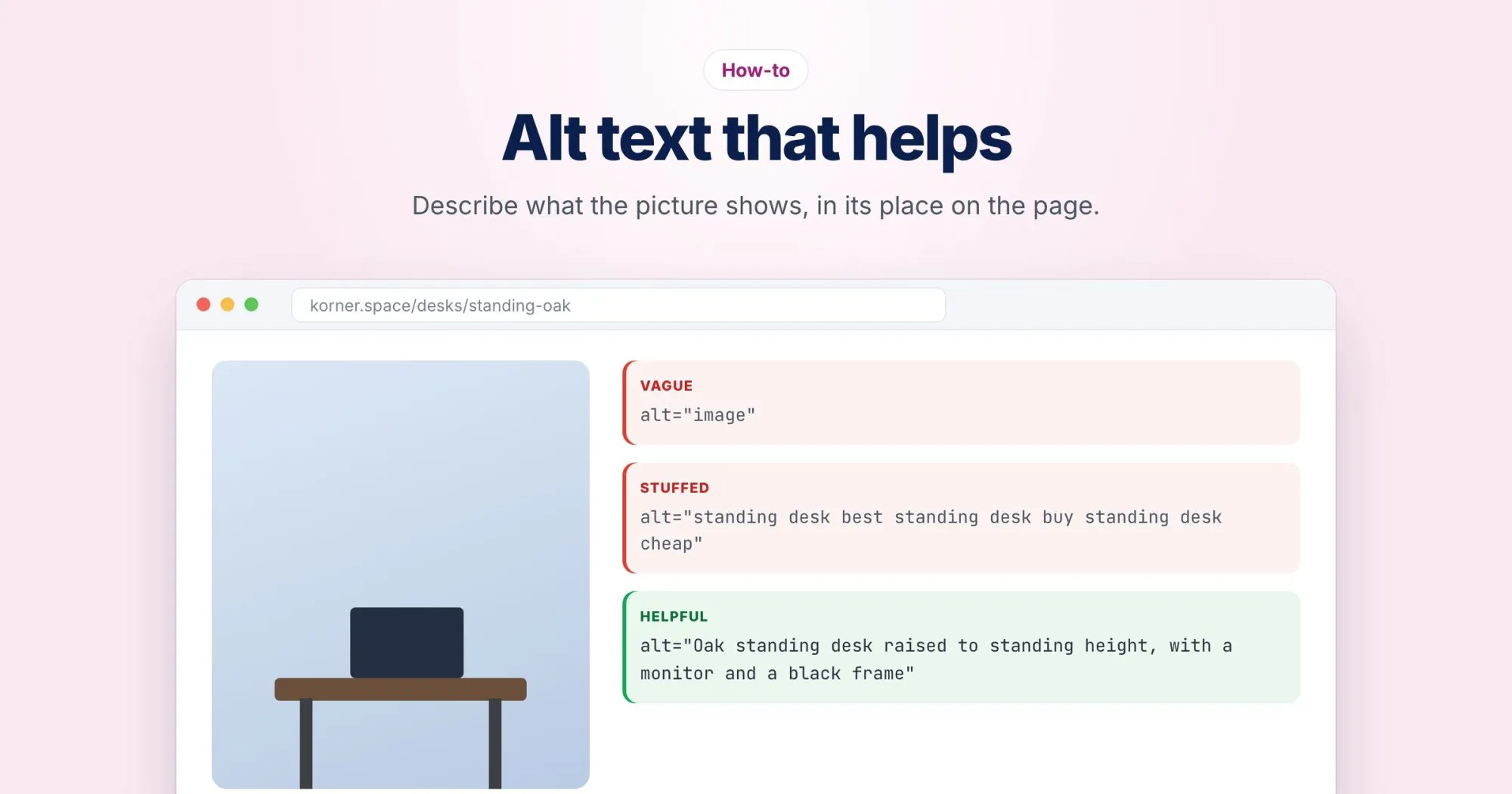
Here is an image tag I found on a product page last week:
<img src="IMG_4471.jpg" alt="image of shoes shoes running shoes best shoes buy shoes">And here is what it should have said:
<img src="trail-runner-blue-side.jpg" alt="Blue Trail Runner, side view, showing the thick lugged sole">Shorter, and more useful to a person and a search engine alike. The rest of this post is the detail.
Who actually reads it
A screen reader reaches the image and reads the alt text out loud, usually after announcing that it's an image. So the first version above would be spoken as "image, image of shoes shoes running shoes best shoes buy shoes".
Search engines use alt text as one of several clues about what an image shows, alongside the filename, the caption and the text around it.
Describe what the image shows, in this context
The same photo can need different alt text on different pages. A picture of a standing desk on korner.space's product page should describe that desk. The same photo in a blog post about home office posture might be better described by what it demonstrates.
| Where it appears | Alt text |
|---|---|
| Product page for the desk | Oak standing desk raised to standing height, with the control panel on the right edge |
| Posture article | A monitor at eye level on a standing desk, with the keyboard at elbow height |
Ask yourself: if I couldn't see this image, what would I need to know from it right here?
Skip "image of"
The screen reader already announces an image, so "photo of" just adds words. Keep it only when the medium matters, as in "Screenshot of the checkout page".
Decorative images get an empty alt
Dividers, background flourishes and icons sitting next to text that already says the same thing should have alt="". That tells assistive technology to skip the image entirely.
An empty alt is not the same as a missing one. With no alt attribute at all, many screen readers fall back to reading the filename, which is how people end up hearing "IMG underscore 4471 dot jpeg".
Product images on a shop
Shops tend to have five or six photos per product, and it's tempting to give them all the product name. Describe what's different about each one instead:
- Before: "Blue Trail Runner" on all six photos.
- After: "Blue Trail Runner, side view", "Sole tread pattern, close up", "Worn with cropped trousers", and so on.
Charts and screenshots
Alt text for a chart should give the takeaway, not list every data point: "Weekly orders rose from about 40 to about 90 between March and June." If readers need the actual numbers, put them in a table or in the text next to the chart, where everyone can read them.
For a screenshot, say what the reader should notice. "Settings page with the Export button highlighted" beats "Screenshot".
Linked images and logos
When an image is the only thing inside a link, its alt text becomes the link's text. Describe where it goes. A logo linking home is usually best as just the company name, such as "Korner", not "Korner logo".
How long?
There's no fixed limit worth chasing. Aim for one sentence. If you need a paragraph, it belongs on the page as a caption.
Filenames and surrounding text still count
A descriptive filename like oak-standing-desk.jpg costs nothing and helps image search. If image weight is also a problem on your pages, my earlier post on image size covers that side.
Checking your pages
Our reports list images with no alt attribute, treats alt="" as the deliberate choice it is, and flags alt text that repeats the same words over and over. Then read a few of yours out loud. If it sounds odd spoken, it reads odd to the people who rely on it.