Redirects are one of those things that work fine, so nobody looks at them. You moved to HTTPS, it redirected. You dropped the www, it redirected. You restructured the URLs two years ago, and that redirected too.
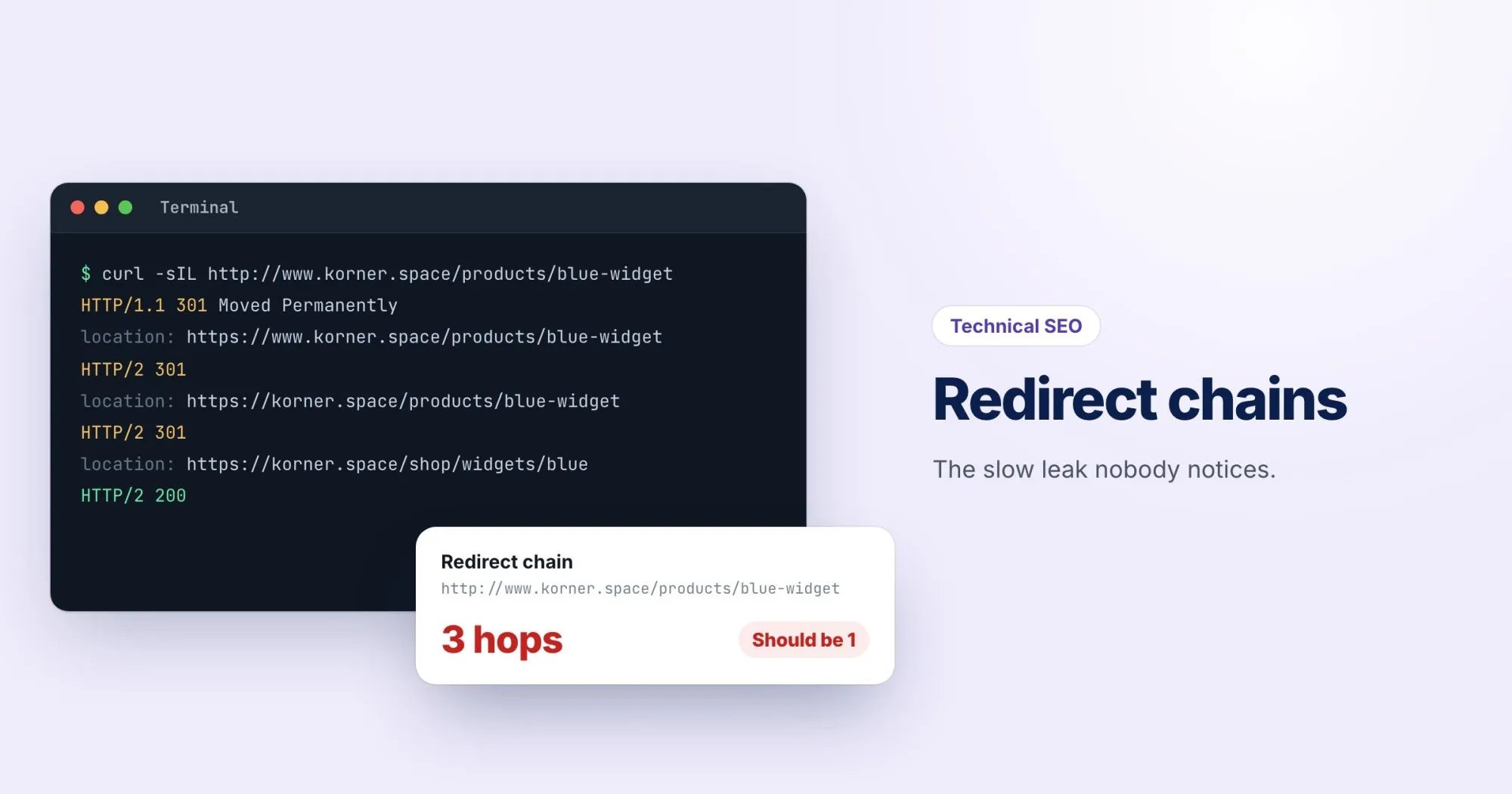
Each change made sense at the time. Put them together, though, and a visitor following an old link can bounce through four hops before they reach a page:
http://www.korner.space/products/blue-widget
  → 301 → https://www.korner.space/products/blue-widget
  → 301 → https://korner.space/products/blue-widget
  → 301 → https://korner.space/shop/widgets/blue
  → 200
That's a redirect chain, and it's one of the most common things we find on sites that have been around for a few years.
What a chain costs you
Time. Every hop is a full round trip to the server before anything starts to load. On a mobile connection, three extra hops can add up to a noticeable delay before the page even begins.
Crawling. Search engines follow redirects, but not endlessly. Google has said it follows up to about ten hops, and long chains waste the time it spends on your site.
Reliability. Every hop is another place for something to break. One misconfigured rule in the middle and the whole chain ends in an error.
How to find them
For a single URL, the quickest way is our free redirect checker. Paste in the address and it shows every hop, with the status code for each one.
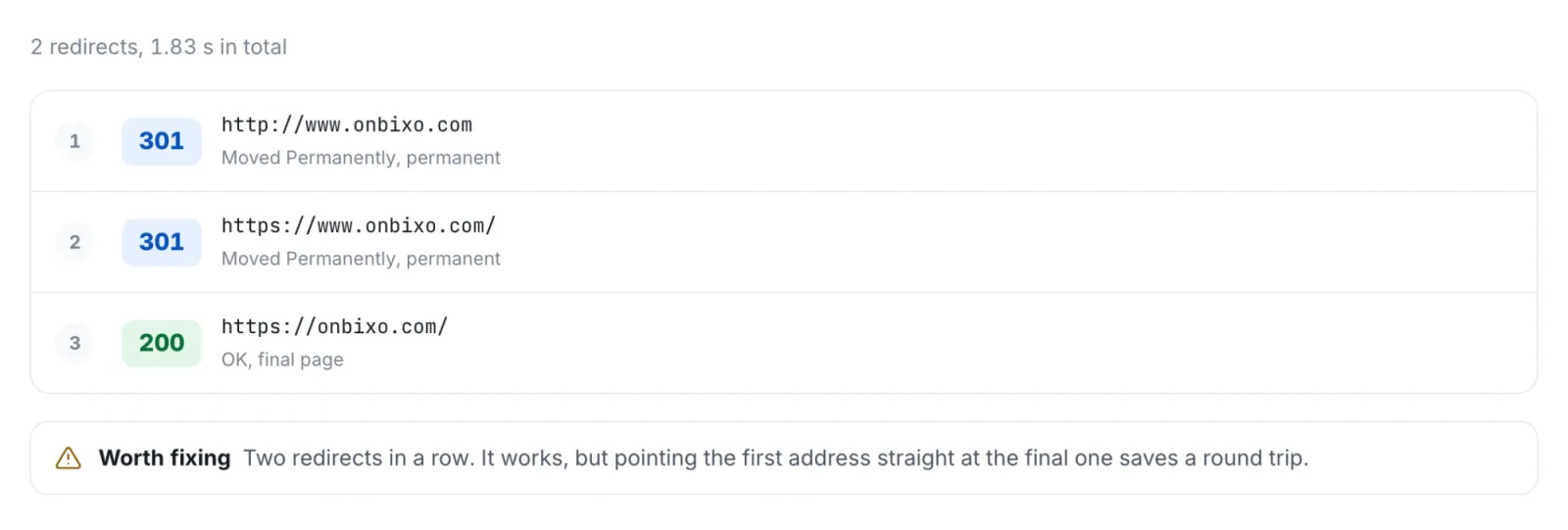
From the command line, curl can do the same:
curl -sIL http://www.korner.space/products/blue-widget | grep -iE "^(HTTP|location)"For a whole site, check three places:
- Your internal links. A link in your navigation pointing at an old URL means every visitor and every crawl goes through the redirect.
- Your sitemap. It should only list final URLs, never ones that redirect.
- Your most linked old URLs. The pages other sites link to, from your backlink tool or Search Console's Links report.
How to collapse a chain
The fix is to point every old URL directly at its final destination, in one hop.
Don't delete old redirects. Change where they point.
Old links from other sites will keep arriving at those old addresses for years. The redirect is what saves them. It just needs to go straight to the right place.
Then update your internal links so they point at the final URL and never redirect at all. A redirect is a safety net for links you can't control. Your own links you can just fix.
301 or 302?
Use a 301 (or 308) for permanent moves, which is almost all of them. A 302 tells search engines the move is temporary, so they may keep the old URL in their index. If you find 302s in a chain that were meant to be permanent, change them while you're there.
Checking your work
Every WebRankPage report checks the page's own redirect chain, and also tries the http and www versions of the address to see whether they arrive in one step. After you've made changes, run the report again and the chain should be gone.