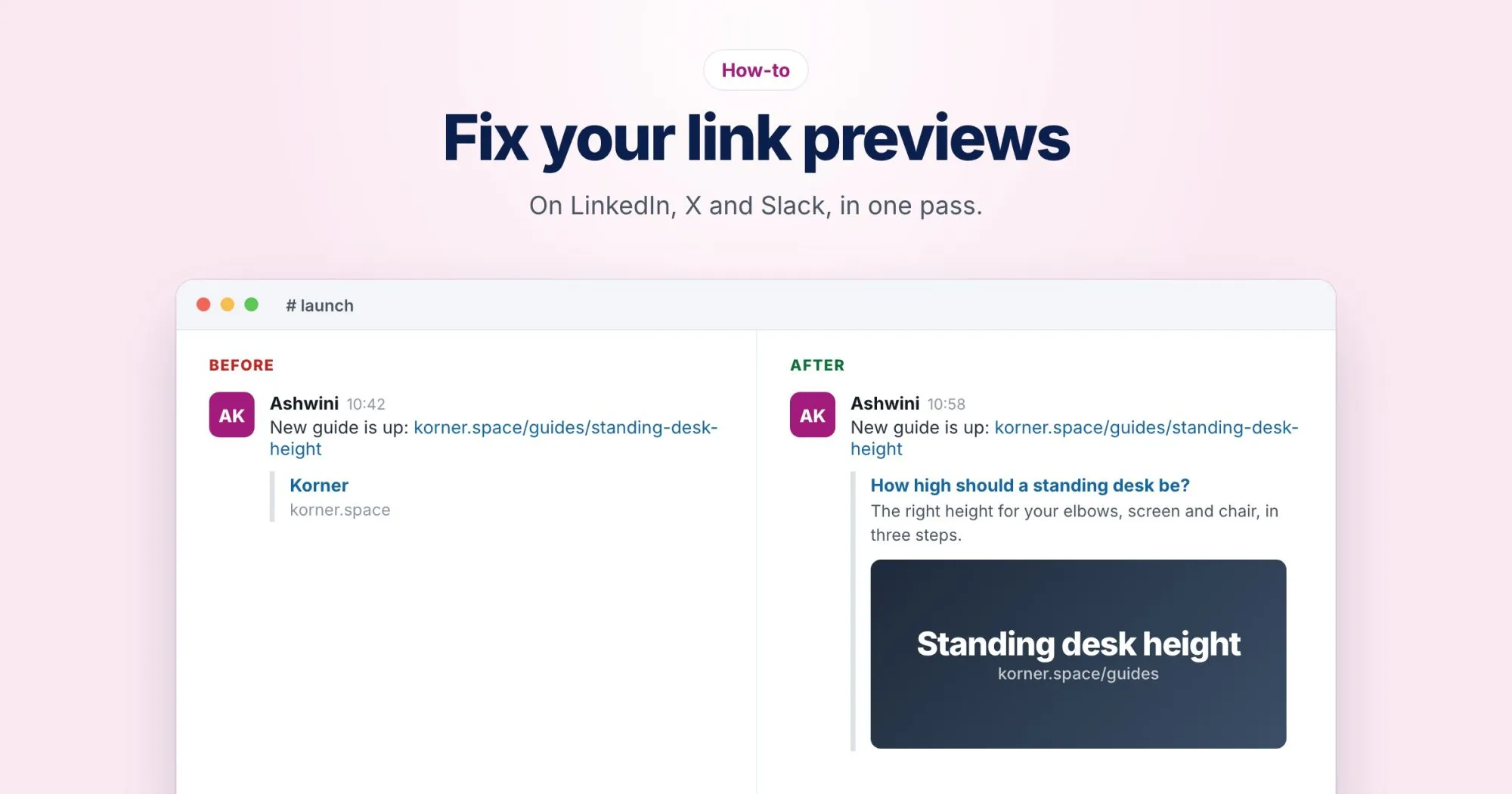
You've just published something you're proud of. You paste the link into LinkedIn and... no image. Or the wrong image. Or a title from a page you deleted months ago.
This is one of the most common things people ask us about, and the good news is it's almost always fixable in a few minutes once you know where to look.
Where previews come from
When you share a link, the platform's bot visits the page and reads a handful of tags from the <head>. These are Open Graph tags, originally from Facebook, now used by nearly everyone:
<meta property="og:title" content="How to fix link previews">
<meta property="og:description" content="Why previews break, and how to fix them.">
<meta property="og:image" content="https://webrankstats.com/images/preview.png">
<meta property="og:url" content="https://webrankstats.com/blog/link-previews">
<meta name="twitter:card" content="summary_large_image">
If those tags are missing or wrong, the platform guesses, and its guesses aren't great.
The usual problems, and their fixes
No image at all
Either there's no og:image, or the platform couldn't load it. Check that:
- The URL is absolute, starting with
https://. A path like/images/preview.pngoften fails. - The image loads publicly, without a login, and isn't blocked by robots.txt.
- It's a JPEG or PNG. SVG isn't supported by most platforms, and WebP support varies.
The image is cropped or stretched
Use 1200 by 630 pixels. That ratio works on LinkedIn, Facebook, X and Slack. Keep anything important, like text or a face, away from the edges, because some platforms crop slightly.
The tags are added by JavaScript
This one catches a lot of modern sites. Social media bots read the raw HTML your server sends, and they don't run JavaScript. If your framework sets the Open Graph tags in the browser, the bots never see them. Check with View Source, not Inspect. If the tags aren't there, they need to be rendered on the server.
You fixed it, but the old preview is still showing
Platforms cache previews, sometimes for days. Each one has a way to force a refresh:
- LinkedIn: the Post Inspector at linkedin.com/post-inspector. Paste the URL and it fetches a fresh copy.
- Facebook: the Sharing Debugger, with its "Scrape Again" button.
- X and Slack: there's no public refresh tool. Adding a harmless query string (like
?v=2) to the link makes them treat it as new.
Check before you share
The fastest way to check is our free social share preview. Paste in a URL and it shows how the link will look on Facebook, LinkedIn, X and Slack, lists the tags it found, and tells you what's missing or broken. No account needed.
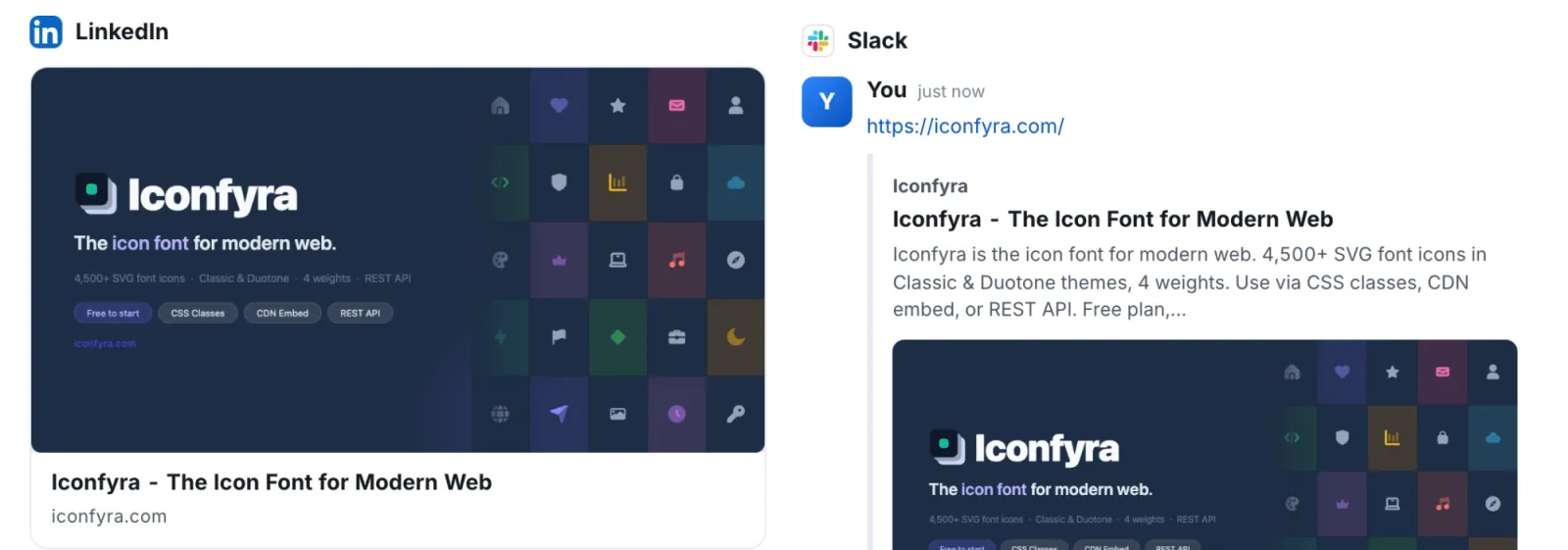
And if you want this checked on every page, WebRankPage reports include it: they flag a missing or broken og:image and missing Open Graph tags along with everything else.
Five minutes before you hit share can save you an awkward "ignore the weird preview" comment afterwards.