Almost every site runs on HTTPS now, so it's easy to assume the job is done. When I look at a client's setup for the first time, though, something is usually half finished: a certificate that doesn't cover www, a redirect that takes two steps, one image still loading over plain HTTP. None of it breaks the site for most people, which is why it lasts. Here's the order I check things in.
1. The certificate covers every name you use
A certificate lists the hostnames it's valid for. If it covers onbixo.com but not www.onbixo.com, anyone who types the www gets a full-page browser warning before your redirect can even run, because the secure connection fails first.
Check that both names are on the certificate, plus any subdomain that serves real traffic. A wildcard covers one level of subdomain but not the bare domain, so that needs listing too.
2. It renews without anyone remembering
Certificates are getting shorter-lived. Under the industry's current rules, a public certificate issued since March 2026 can last at most 200 days, and the limit keeps dropping over the next few years. Renewing by hand from a calendar reminder no longer works. Automate it with ACME, which Let's Encrypt and most hosts use, and then check the renewal actually ran.
We covered watching expiry dates in the post on uptime and SSL monitoring. The short version: an automated renewal that fails silently is the usual cause of an expired certificate.
3. The server sends the full chain
Your certificate is trusted because an intermediate signed it, and a root the browser already knows signed the intermediate. The server has to send that intermediate too. Without it, some desktop browsers patch over the gap while some crawlers, command-line tools and older phones fail the connection. The fix is usually to point the server at the fullchain file your certificate tool produced.
4. One redirect, straight to the final address
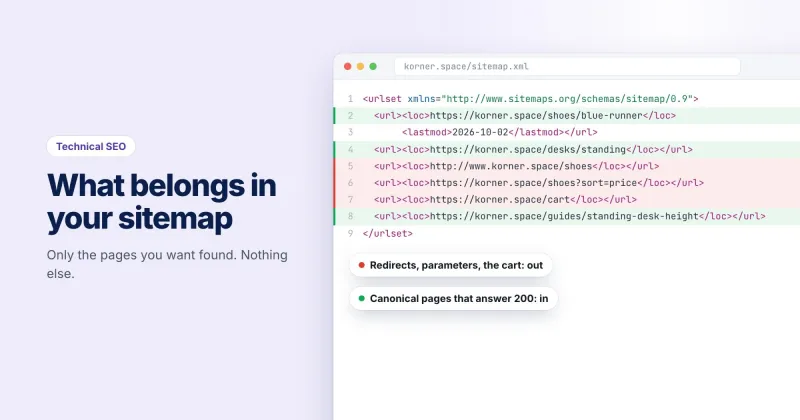
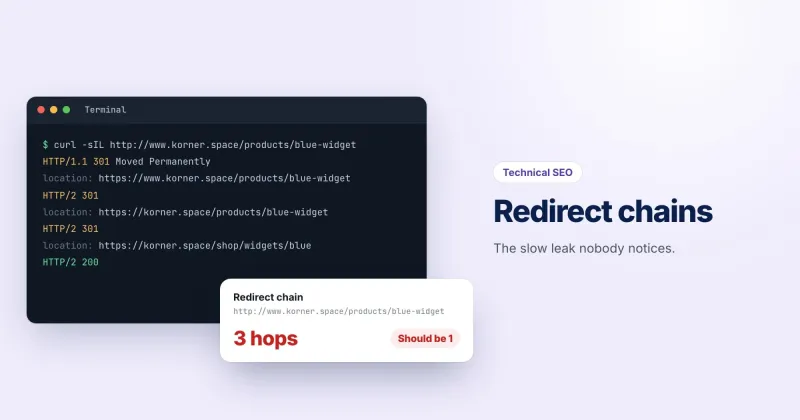
Every version of the address should reach the real one in a single permanent redirect. http://www.korner.space should go directly to https://korner.space, not via https://www.korner.space first. We've covered why chains cost you before, and the redirect checker shows every hop for any address.
5. HSTS, with a sensible max-age
Even with a perfect redirect, a visitor who types the bare domain makes one request over plain HTTP first. HSTS tells the browser to skip that and go straight to HTTPS on every future visit:
Strict-Transport-Security: max-age=31536000; includeSubDomainsThat's one year, for every subdomain. Browsers ignore the header unless it arrives over HTTPS. Before adding includeSubDomains, make sure every subdomain really serves HTTPS, including forgotten ones like an old staging host, because browsers will refuse them over HTTP.
You'll also see a preload directive, which puts your domain on a list built into browsers. Treat it as a one-way door: removal takes months to reach everyone's browser, so only apply once you're sure every subdomain will stay on HTTPS for good.
6. No mixed content
A secure page that loads a script, stylesheet or image over http:// has mixed content. Browsers block insecure scripts and styles outright, which can break a page in odd ways, and try to upgrade images and media to HTTPS, so a file that isn't available that way just doesn't load.
To find it, load the page with DevTools open and read the Console, which names each insecure request. Hard-coded URLs in a CMS database and third-party embeds are the usual culprits.
Checking the whole thing
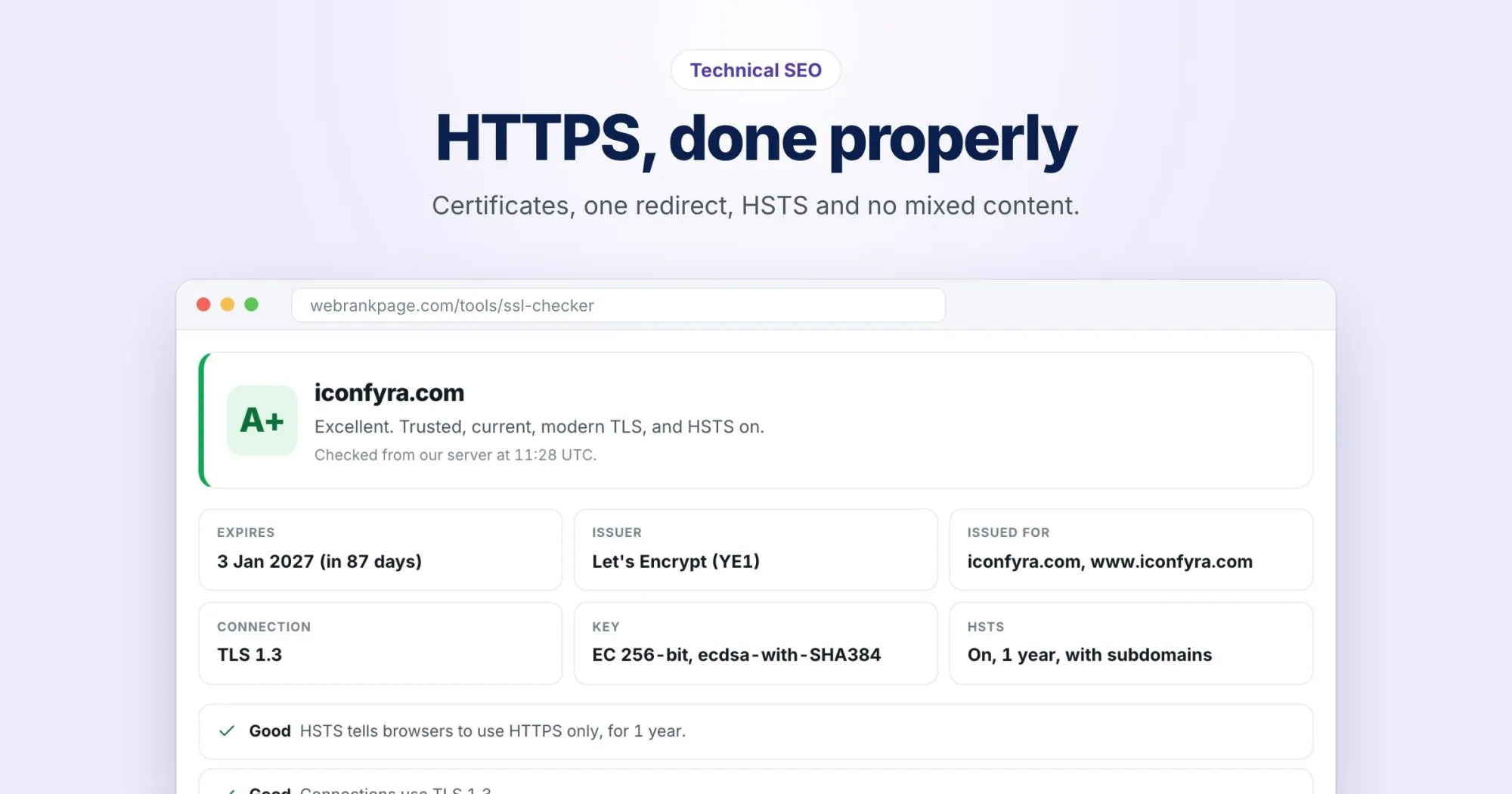
The free SSL checker grades a site from A+ to F and shows the expiry date, issuer, chain, TLS version and whether HSTS is on. For iconfyra.com it returns an A+: TLS 1.3, and HSTS set for one year with subdomains included.
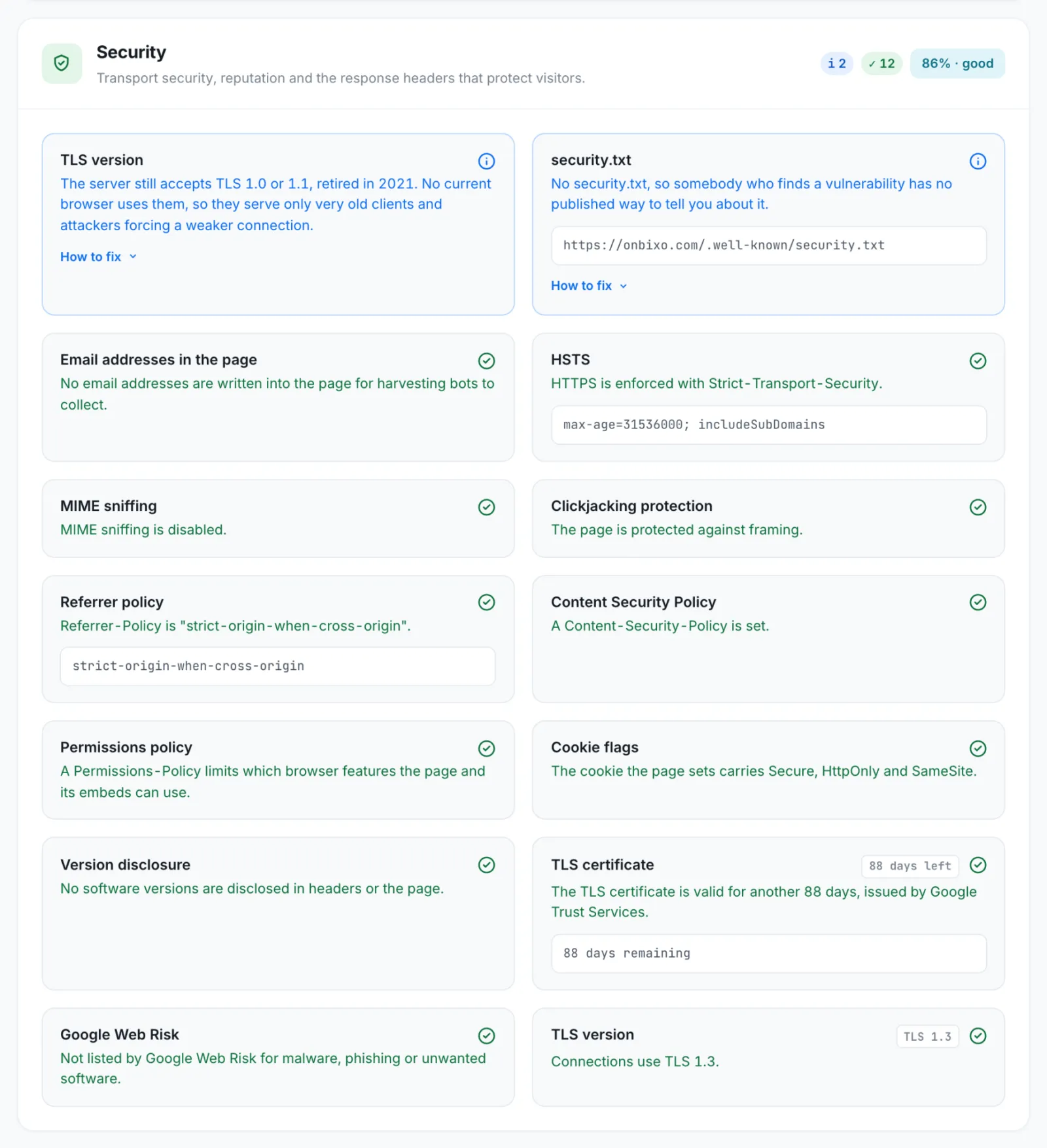
The page-level side is in every full WebRankPage report: missing or short HSTS, insecure resources on the page, and whether the http and www spellings of the address arrive in one permanent step.