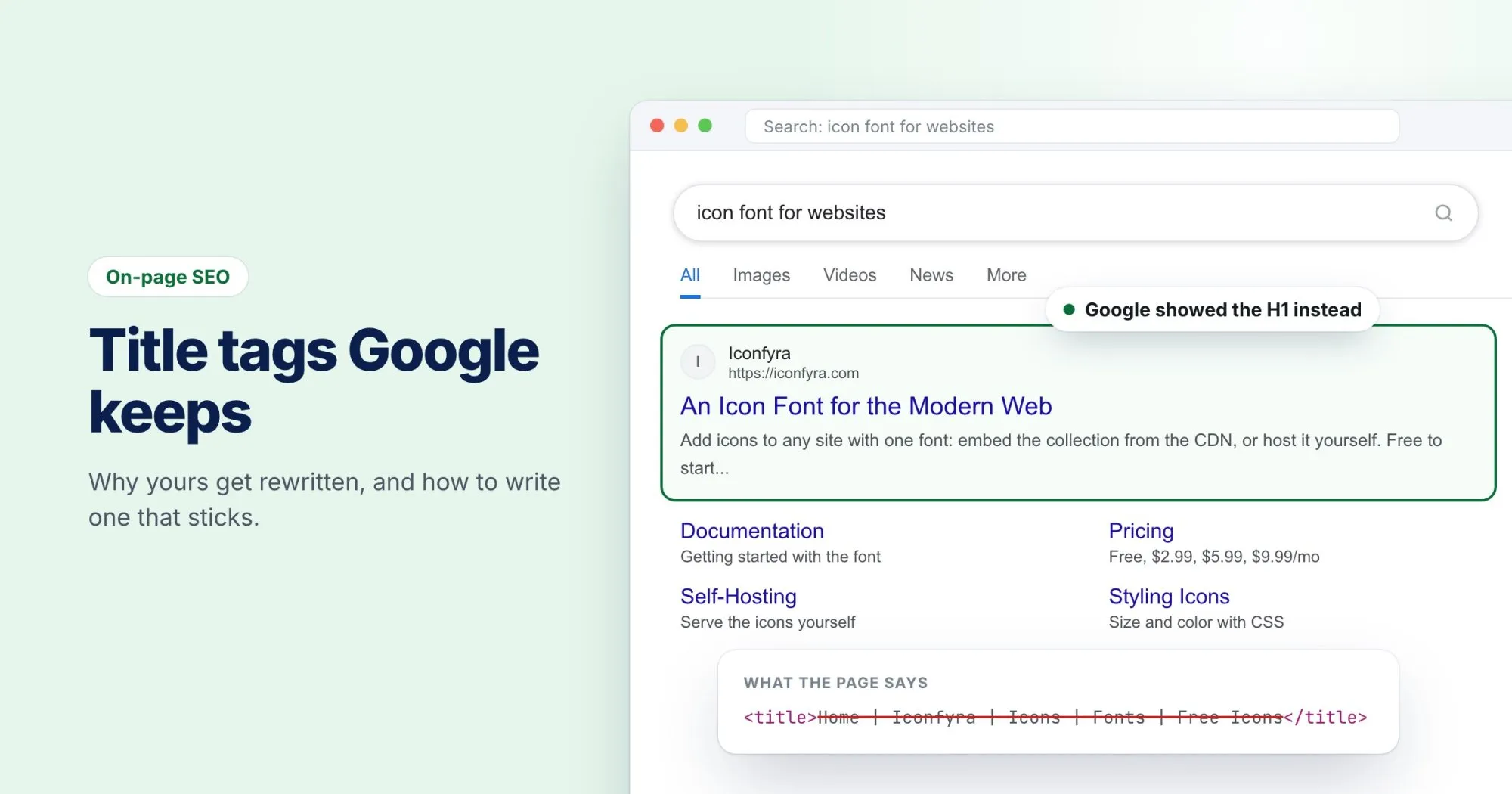
You spend twenty minutes on a title tag. You weigh every word, check the length, publish the page. A week later you search for it and Google is showing something else entirely: your H1, a line from the page, sometimes a phrase you don't remember writing.
It feels personal. It isn't. Google has been rewriting titles at scale since 2021, and in our experience it does it to some pages on almost every site. The good news is that the rewrites follow a pattern, and most of them can be prevented.
Why Google rewrites titles at all
Google's stated goal is simple: show the searcher the title that best describes the page. Your title tag is its first choice, not its only one. When it decides your tag is a poor description, it reaches for something on the page that looks better, usually the main heading.
So a rewrite is really feedback. Google is telling you that, in its view, the title you wrote doesn't match the page, doesn't fit, or doesn't say anything.
The four things that trigger a rewrite
1. It's too long
Search results cut titles off at a width, not a character count. On desktop that's roughly 580 pixels. A title that runs past it gets truncated, and a truncated title is a prime candidate for replacement.
The width part matters more than people expect. "Illinois" and "WWWWWWWW" are both eight characters, and the second is about three times wider. A "60 character limit" will be wrong in both directions depending on the letters you use.
2. It's boilerplate
Titles like "Home | Acme Inc | Plumbing | Chicago" or "Services - Acme" tell a searcher almost nothing. When every page on a site shares the same pattern with one word changed, Google tends to look elsewhere for something more specific.
3. It doesn't match the page
A title promising "The Complete Guide to Roof Repair" on a page that's really a quote form will usually get swapped for whatever the page actually says. Same for titles that were accurate two redesigns ago and nobody updated.
4. It's stuffed
"Cheap Shoes, Buy Shoes Online, Best Shoes, Shoes Sale" reads like a keyword list because it is one. Google rewrites these aggressively.
How to write a title Google keeps
There's no guarantee, but titles that follow these rules get rewritten far less often:
- Lead with the subject. The thing the page is about goes first, where both people and Google read it.
- Say what the page offers. A guide, a price list, a tool, a comparison. Be specific.
- Put the brand last. If it gets cut, you lose the least important part.
- Agree with your H1. They don't have to be identical, but they should clearly describe the same page. If they disagree, Google usually sides with the heading.
- Fit the width. Measure it in pixels, not characters.
Here's the difference in practice:
| Before | After |
|---|---|
| Home | BrightSmile Dental | Dentist | Family dentist in Austin, open Saturdays | BrightSmile |
| Blog Post - Tips | 7 ways to cut your AWS bill without touching your code |
| Products | Handmade leather wallets and card holders | Hide & Co |
Check what searchers actually see
The fastest way to catch a problem is to preview the result before you publish. Our free SERP preview tool measures your title the way Google renders it, in pixels, and shows exactly where the cut falls on desktop and mobile.
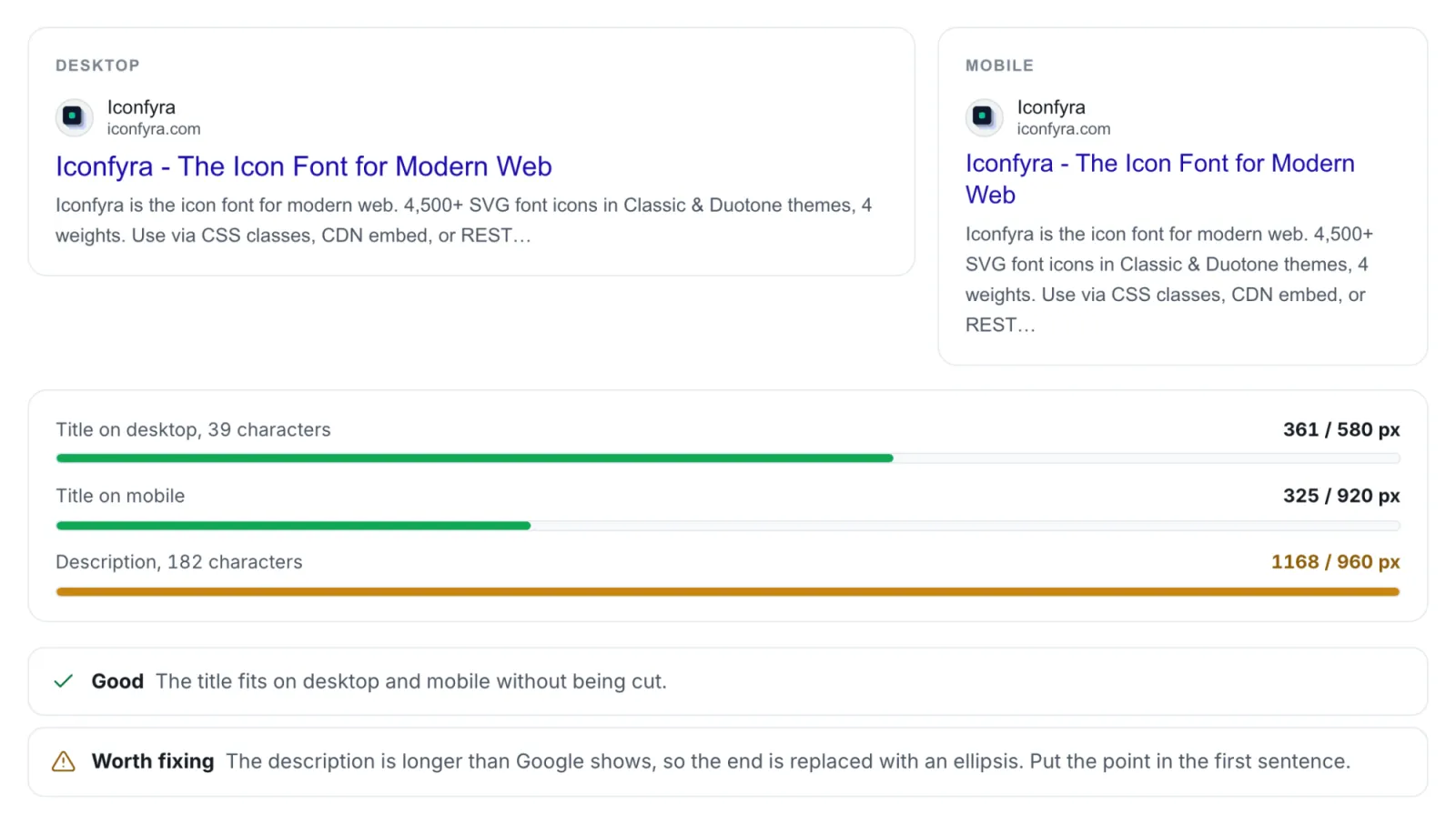
And if a page is already live, search for it. If Google is showing something other than your title, read what it chose instead. It's often a pretty good hint at what your title should have said.