Most websites have more URLs than they have pages. The same product might be reachable at five addresses: with and without a trailing slash, with a tracking parameter, sorted by price, filtered by color.
To a search engine, each of those is potentially a separate page with identical content. The canonical tag is how you tell it which one is the real one.
What the tag looks like
<link rel="canonical" href="https://korner.space/shoes/blue-runner">It goes in the <head>, and it says: "if you find this content at more than one address, this is the one to index and rank."
It's a hint, not an order
This is the part people miss. Google treats the canonical as a strong suggestion, alongside other signals like redirects, internal links and the sitemap. When those signals disagree with your canonical, Google may pick a different URL.
Which brings us to the mistakes.
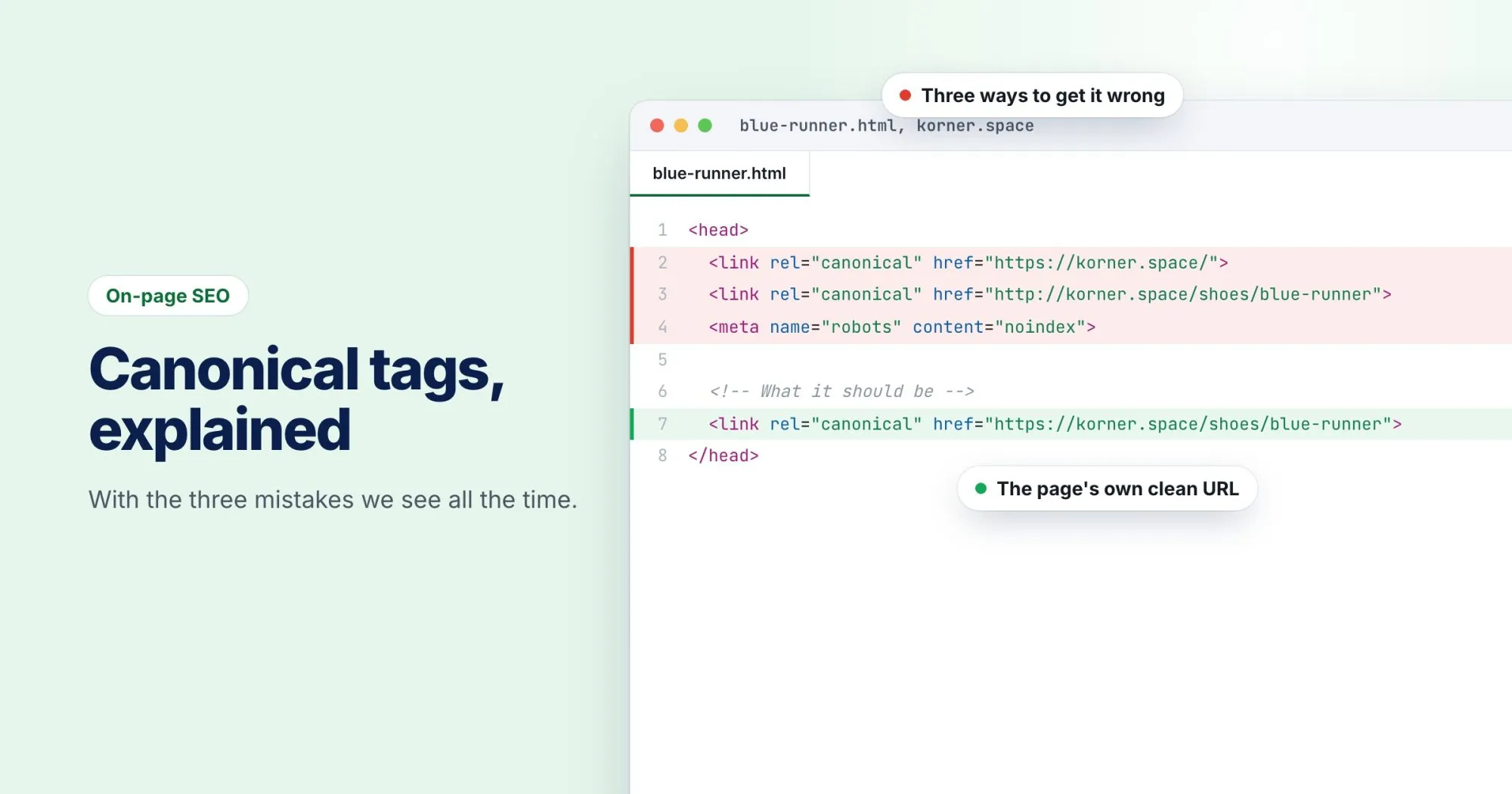
Mistake 1: Every page points at the homepage
This usually happens when someone sets the canonical in a site-wide template and forgets to make it dynamic. Now every page on the site claims to be a copy of the homepage.
The result depends on Google's mood: either it ignores the tag everywhere (because it's obviously wrong), or it starts dropping pages from the index. Neither is good.
The fix: each page's canonical should point at that page's own clean URL.
Mistake 2: The canonical points at a redirect
The tag says http://korner.space/shoes/blue-runner, but the site redirects http to https. Or the tag includes www and the site doesn't. Now the canonical points at a URL that isn't a real page, just a hop to one.
The fix: the canonical should always be the final URL, the one that answers 200 OK. Absolute, HTTPS, and the exact version of the domain you use.
Mistake 3: Canonical and noindex on the same page
A page that says "the real version is over there" (canonical) and "don't index me" (noindex) at the same time is sending mixed messages. Google has said it may apply the noindex to the canonical target, which is the opposite of what you wanted.
The fix: pick one meaning per page. If it's a duplicate, use a canonical. If it shouldn't be in search at all, use noindex.
The safe default
For most pages on most sites, this covers it:
- Every indexable page has a canonical.
- It points at itself (a "self-referencing" canonical).
- It's absolute, HTTPS, and the final URL.
- It has no tracking parameters like
?utm_source=.
Then the only pages that point elsewhere are the genuine duplicates: filtered views, print versions, parameter variations.
How to check yours
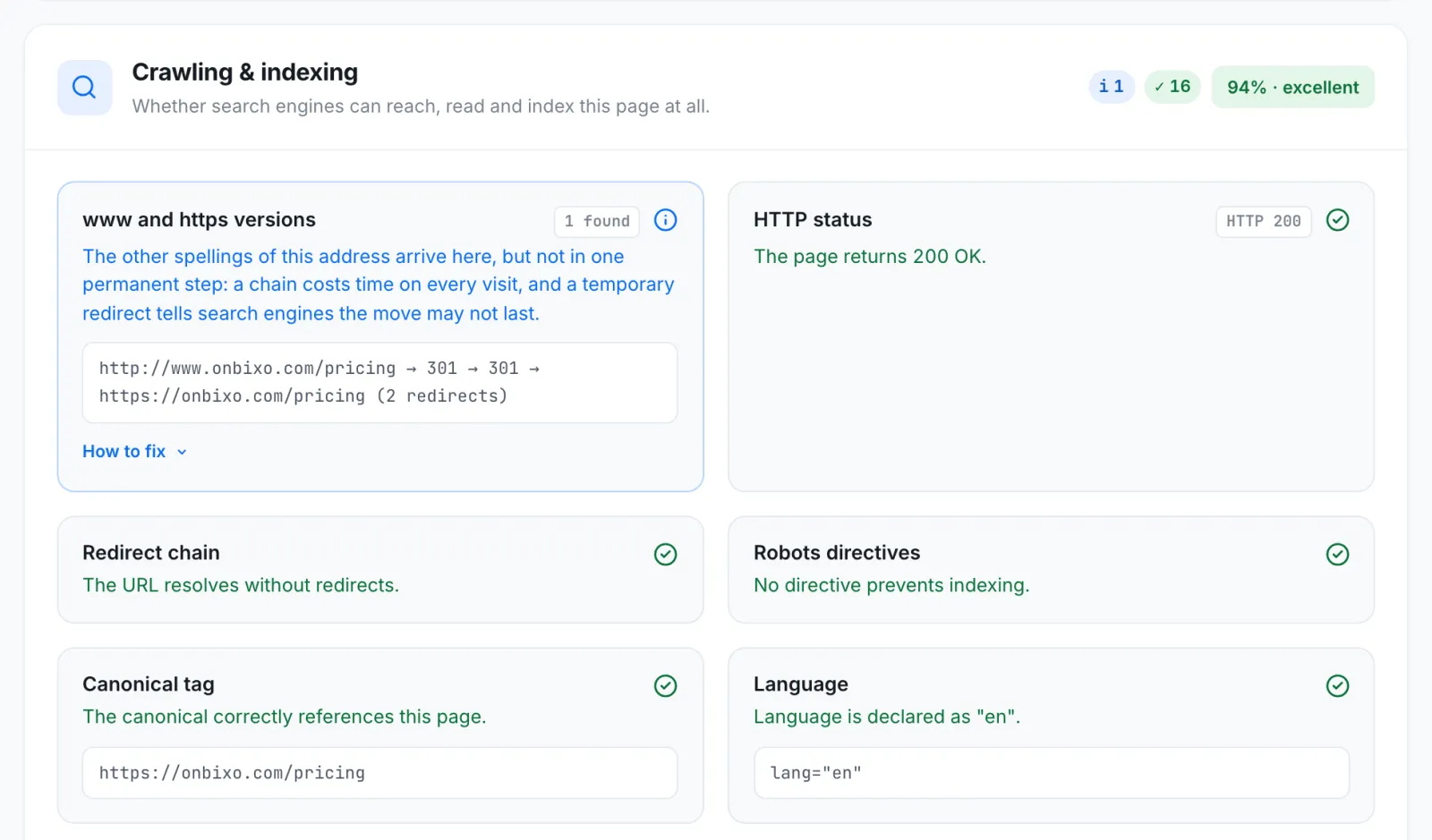
View the source of a page and search for rel="canonical". Or run the page through WebRankPage: the Crawling & indexing section shows the canonical it found and tells you whether it's missing, points at a different page or domain, or uses http on an https site.
In Search Console, the URL Inspection tool shows both the canonical you declared and the one Google actually chose. If those two disagree, that's worth looking into.