Most teardowns are a list of things that are wrong. This one is mostly a list of things that are right, which I think is more useful. It's easy to find advice about what not to do. It's rarer to see a site that simply gets the basics right, and look at how.
We ran a site crawl on Iconfyra, an icon library with a product site and a fairly large documentation section. Here's what came back.
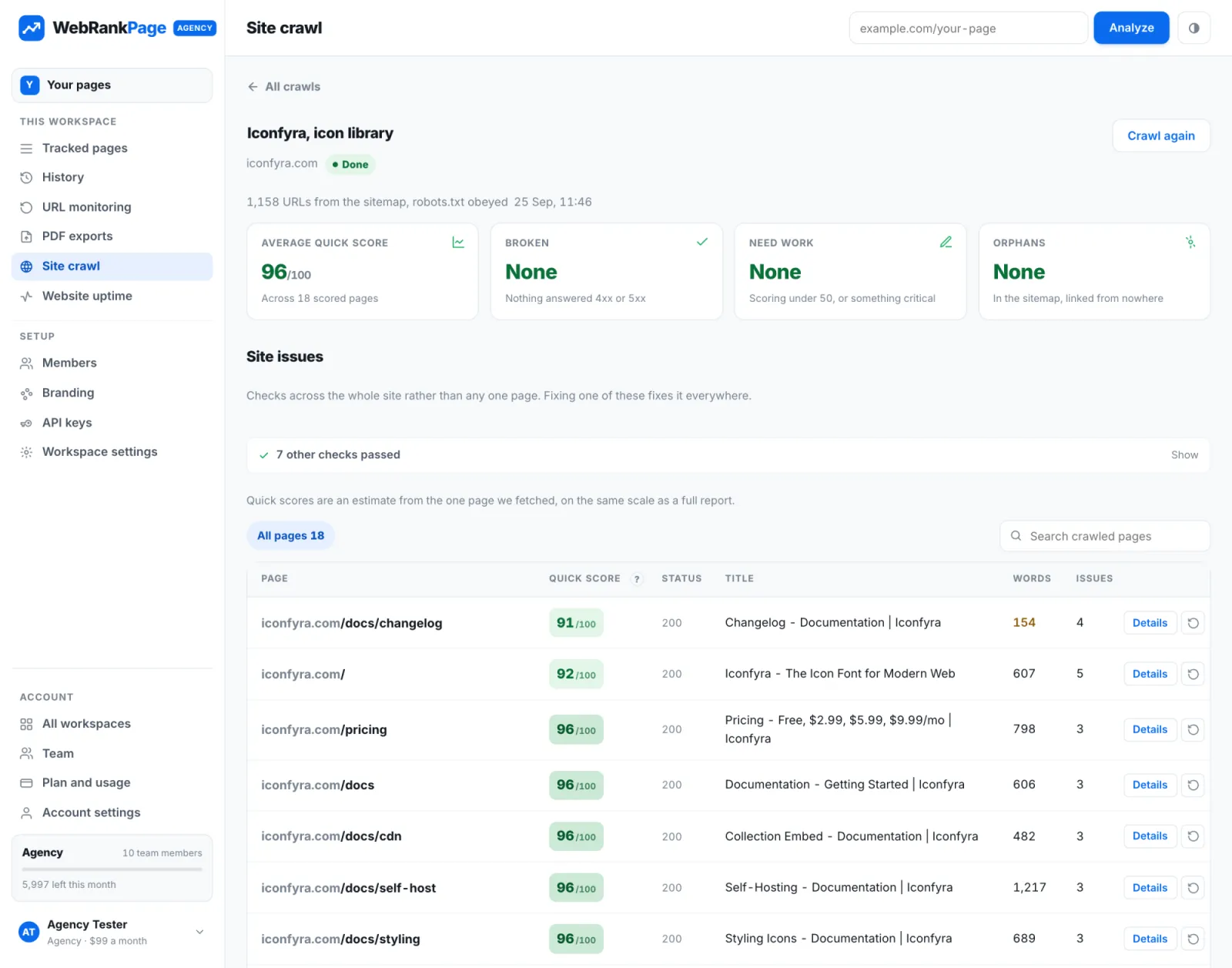
The headline numbers
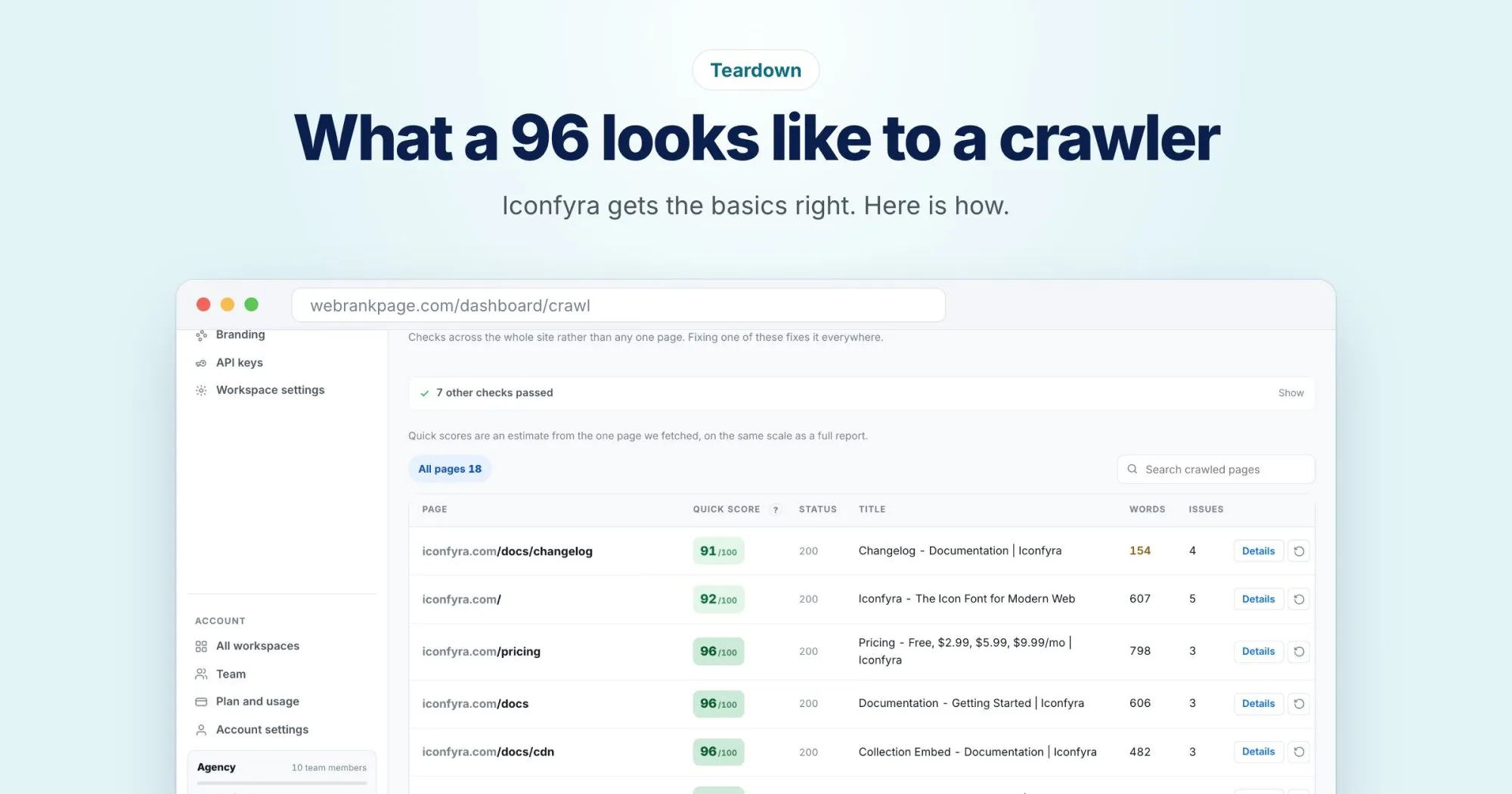
- Average quick score: 96 out of 100 across the scored pages.
- Broken pages: none. Nothing answered with a 4xx or 5xx error.
- Pages that need work: none. Nothing scored under 50 or had a critical problem.
- Orphans: none. Every page in the sitemap is linked from somewhere on the site.
That last one is less common than you'd think. Documentation sections in particular tend to collect pages that were published and then never linked from anywhere.
What it does right
Titles that follow one clear pattern
Look down the title column and every page follows the same shape: the specific page first, then the section, then the brand.
- Self-Hosting - Documentation | Iconfyra
- Styling Icons - Documentation | Iconfyra
- Collection Embed - Documentation | Iconfyra
Each one is unique, describes its own page, and puts the most specific words first. That's exactly what a search engine needs to tell similar pages apart.
Real content on most pages
Most documentation pages are substantial: several hundred words each, and over 1,200 on the self-hosting guide. That gives search engines something to understand and rank, and it gives readers an actual answer.
A sitemap that matches the site
The crawl started from the sitemap and found every listed page answering normally and linked from somewhere. When the sitemap and the real site agree, crawlers don't waste time and nothing important gets missed.
The one page worth a look
If there's one thing to improve, it's the changelog. At 154 words it's flagged as thin, the only page in the crawl with that warning.
A changelog is a list by nature, so this is understandable. But people do search for what changed in a product, and a short, plain-language summary of each release would give the page something to rank for. It would also help existing users who want to know whether an update matters to them.
What to take away from this
Nothing here is clever. A sitemap that matches the site, consistent and descriptive titles, real content, and internal links to every page. Those basics are enough to put a site in the 90s before anyone starts on the advanced work.
If you'd like to see how your own site compares, a site crawl takes a few minutes and shows you the same summary for your pages.