Structured data is one of those things that gets added to a site once, by hand, and then slowly drifts out of date. A price changes on the page but not in the JSON-LD. A title gets a quotation mark in it and breaks the whole block. Nobody notices, because nothing on the page looks wrong.
If you treat structured data as code rather than copy, most of these problems go away. Here's how we approach it.
Never build JSON-LD by concatenating strings
This is the most common source of broken structured data I see:
<script type="application/ld+json">
{
  "@type": "Article",
  "headline": "<?= $post->title ?>"
}
</script>
It works until a title contains a double quote, or a backslash, or a line break. Then the JSON is invalid and search engines ignore the whole block.
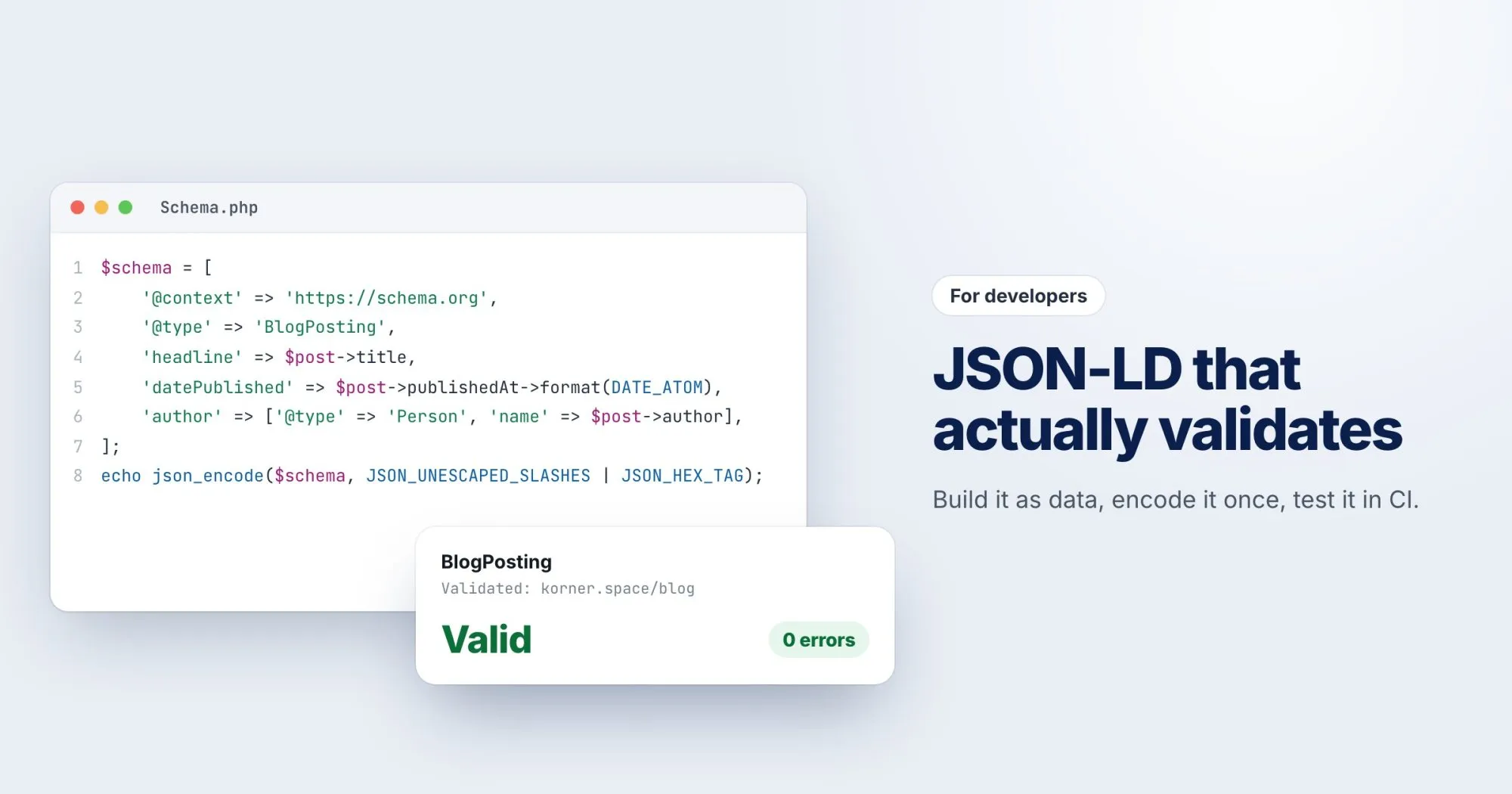
Build a normal data structure and let your language's JSON encoder handle escaping:
$schema = [
    '@context' => 'https://schema.org',
    '@type' => 'BlogPosting',
    'headline' => $post->title,
    'datePublished' => $post->publishedAt->format(DATE_ATOM),
    'author' => ['@type' => 'Person', 'name' => $post->author],
];

echo '<script type="application/ld+json">'
    . json_encode($schema, JSON_UNESCAPED_SLASHES | JSON_HEX_TAG)
    . '</script>';
Note JSON_HEX_TAG (or your language's equivalent). It escapes < and >, so a value containing </script> can't close the tag early. That's a correctness fix and a security fix at once.
Generate it from the same data as the page
The price in your JSON-LD should come from the same variable as the price on the page. The title should be the same title. If they're generated from one source, they can't disagree.
This matters more than it sounds. Google's guidelines say structured data must describe what's visible on the page, and markup that doesn't match can cost you rich results across a whole site.
Use the right formats
- Dates in ISO 8601:
2026-09-30T09:30:00Z, not "30 Sep 2026". - URLs absolute:
https://webrankstats.com/image.png, not/image.png. - Prices as numbers with a separate currency:
"price": "49.00", "priceCurrency": "USD".
Render it on the server
JSON-LD added by a tag manager or client-side script only exists after JavaScript runs. Google can usually handle that, but plenty of other consumers can't. If it matters, put it in the HTML your server sends.
Test it like any other output
Structured data is output, so it can have tests. A simple one that pays for itself: render a page with awkward data (quotes, an ampersand, a </script> in the title) and assert that the JSON-LD still parses.
$html = render_post(['title' => 'He said "hi" </script> & left']);
preg_match('#<script type="application/ld\+json">(.*?)</script>#s', $html, $m);
assert(json_decode($m[1]) !== null);
Then use Google's Rich Results Test or the Schema.org validator to check that the types and fields are what you expect.
Which types are worth it
Not every schema type earns something visible in search anymore. The ones still worth implementing for most sites: Organization, BreadcrumbList, Article or BlogPosting for content, and Product with offers for shops.
WebRankPage reports read the structured data on a page, check that it parses, and flag types that are missing properties they need. It's a quick way to confirm your generated markup reached production intact.