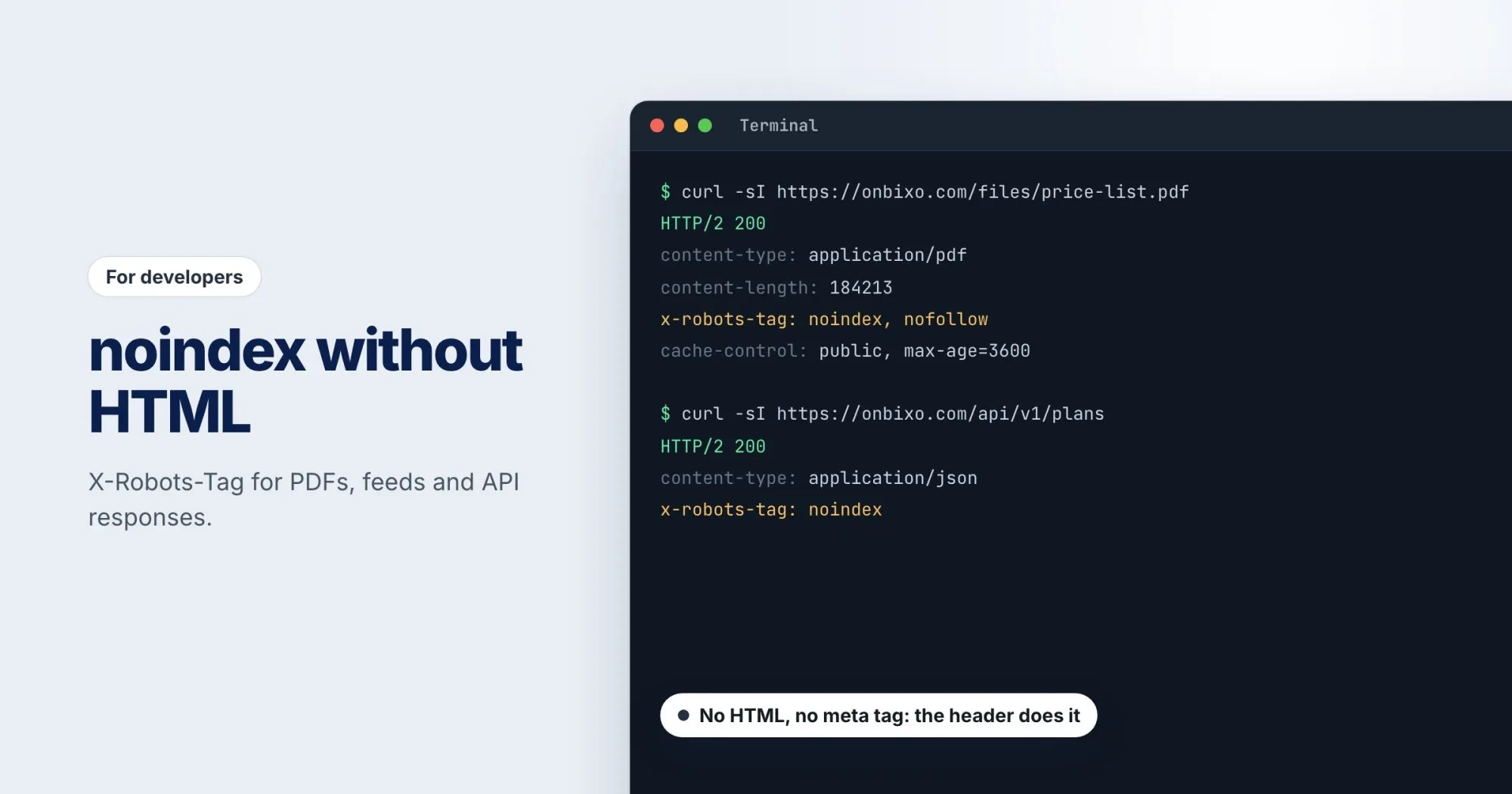
The robots meta tag lives in an HTML <head>. That's fine for pages, but plenty of what a server sends isn't HTML. Price lists as PDFs, RSS feeds, product images, JSON from an API. If any of those turn up in search results where you don't want them, a meta tag can't help, because there's nowhere to put it.
The answer is the X-Robots-Tag HTTP header. Google treats it the same way as the meta tag, and it works on any response.
The syntax
It's one header with a comma-separated list of directives:
X-Robots-Tag: noindex, nofollowThe directives you'll use most:
noindex: don't show this in search results.nofollow: don't follow the links in it. Useful for PDFs, which can contain links.none: shorthand fornoindex, nofollow.noarchive: no cached copy. Google no longer uses it since it retired its cache, but other search engines may, so it does no harm.unavailable_after: index it until a date, then drop it. Handy for an event page or a time-limited offer:unavailable_after: 2026-12-31.
You can also aim a directive at one crawler by putting its name first:
X-Robots-Tag: googlebot: noindex
X-Robots-Tag: otherbot: noindex, nofollow
A directive without a name applies to every crawler that supports the header.
Setting it in Nginx
Say webrankstats.com publishes monthly reports as PDFs, and you'd rather people found the HTML summary pages than the raw files:
location ~* \.pdf$ {
    add_header X-Robots-Tag "noindex, nofollow" always;
}
The always makes Nginx send the header on every status code, not just successful ones. One catch: add_header in a location block replaces any headers set at the server level rather than adding to them, so repeat your security headers inside it if you set them higher up.
Setting it in Apache
With mod_headers enabled, in the virtual host or .htaccess:
<FilesMatch "\.(pdf|xml)$">
    Header set X-Robots-Tag "noindex, nofollow"
</FilesMatch>
Setting it in application code
For responses your application builds, like an API or a feed, set the header where you build the response. In PHP, before any output:
header('X-Robots-Tag: noindex');
header('Content-Type: application/json');
echo json_encode($payload);
Images work the same way. If onbixo.com serves screenshots from a folder that shouldn't appear in image search, a noindex on those responses keeps them out, while the pages that use them stay indexed.
Why robots.txt is the wrong tool here
The tempting shortcut is a Disallow line for the folder. But robots.txt controls crawling, not indexing. A disallowed URL is never fetched, so the crawler never sees your noindex header. If other sites link to that PDF, Google can still list the URL, just without a description.
So the order matters. To get something out of search, leave it crawlable, send noindex, and wait for it to drop out. Only then consider blocking it in robots.txt, if you still want to. The free robots.txt tester will tell you whether a URL is currently blocked.
Checking it with curl
Headers don't show up in view-source, so check the response directly:
curl -sI https://webrankstats.com/reports/2026-09.pdf | grep -i x-robots-tagIf nothing comes back, the header isn't being sent. A few servers answer a HEAD request differently from a GET, so if the result looks wrong, try curl -s -o /dev/null -D - with the same URL, which makes a real GET and prints only the headers.
For HTML pages, a WebRankPage report reads robots directives from both the meta tag and the X-Robots-Tag header, so a header someone added at the server level and forgot about shows up next to everything else.