People often tell me their first report felt like a lot. That's fair: one page goes through a long list of checks, and the report has to show all of them without burying the few that matter. So here's the tour I'd give sitting next to you, using the report on onbixo.com/pricing. We've done a teardown of its fixes already, so this is about what each part of the report is for.
The top: score, counts and a way in
The header gives the verdict first: 89 out of 100, graded A. Under the address: HTTP status, page size and time to first byte, here 414 ms.
Next to it are four tiles: 0 critical, 7 warnings, 6 notices and 68 passed. They're also filters: click Warnings and every section shows only those seven. The search box does the same for a word, so "canonical" brings up just the canonical checks.
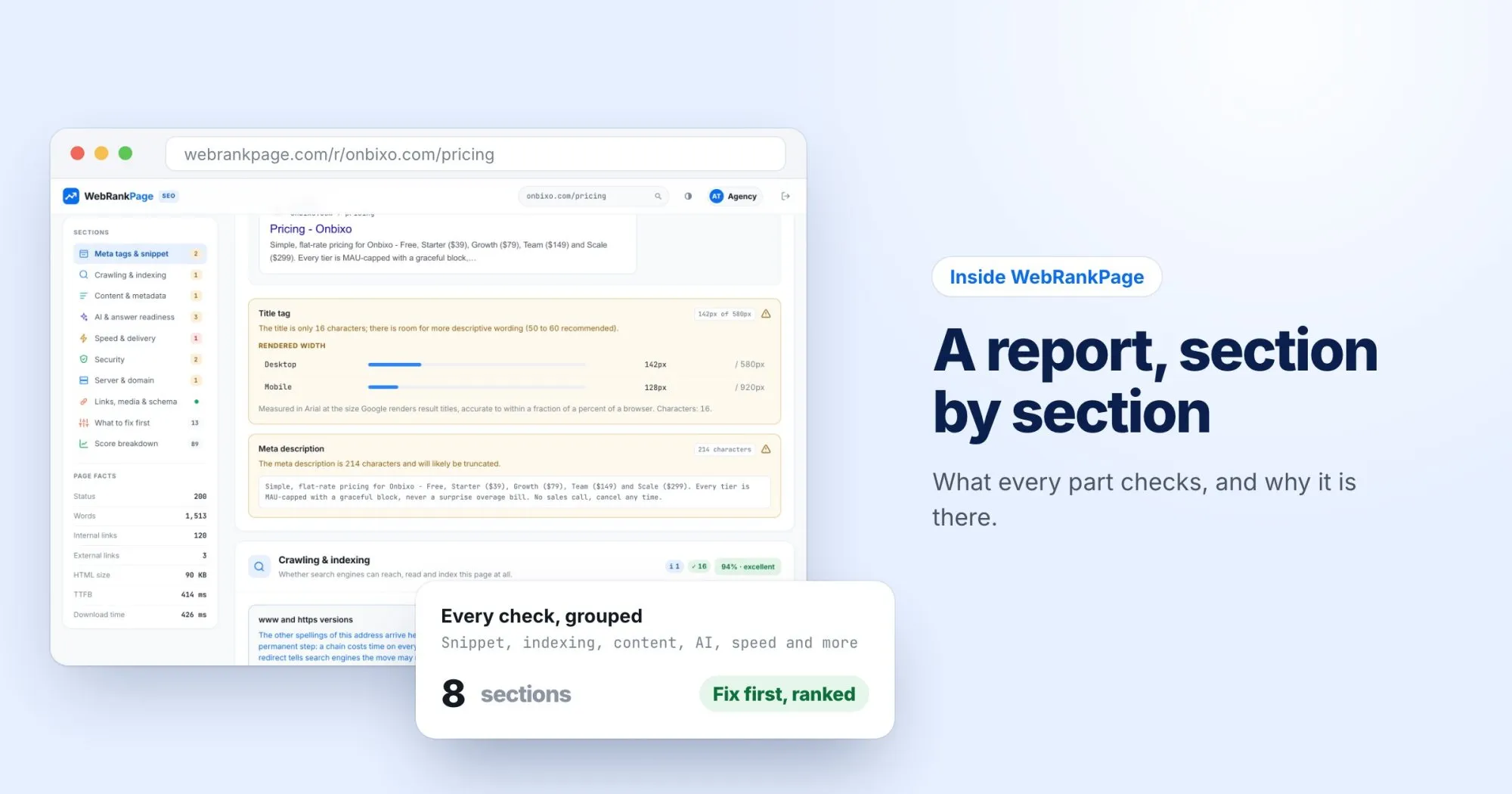
The sidebar lists the sections, each marked with how many problems it holds, plus a few page facts like the word count.
Meta tags & snippet
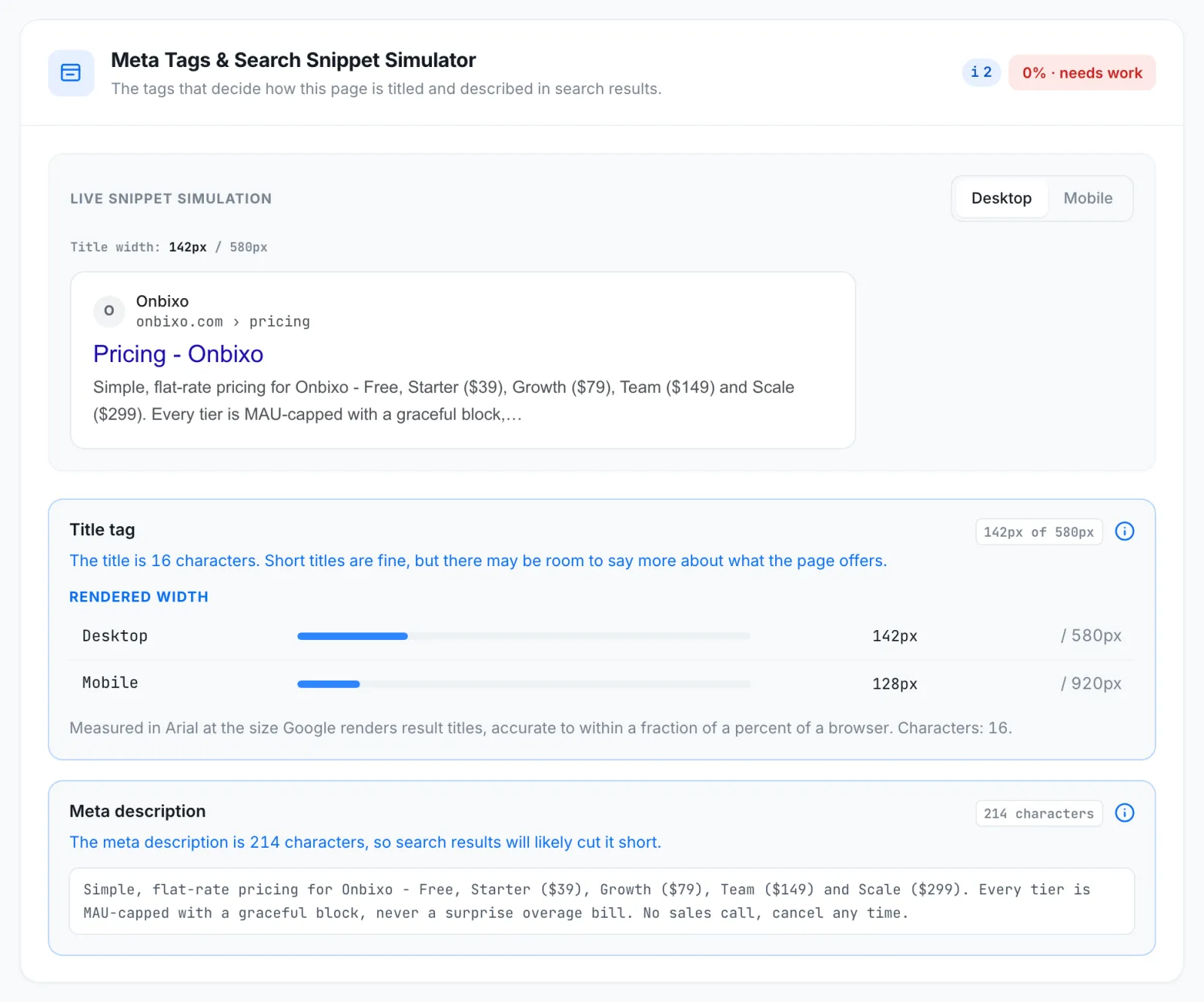
First, because it's what a searcher sees before reaching the page: a simulated search result for desktop and mobile, with the title measured in pixels against the space Google gives it, and checks on the title and meta description.
Crawling & indexing
Whether search engines can reach the page and keep it: status code, robots directives in the meta tag and the X-Robots-Tag header, robots.txt, sitemap, canonical, redirects, mixed content, and whether the http and www versions of the address arrive in one step.
Every section header shows the share of its checks the page passed. The pricing page passes 94% here. If anything in this section is red, fix it first: nothing further down matters on a page that can't be indexed.
Content & metadata
What the page says it's about, and how it's put together. Tiles show the word count, the headings, the H1 and the text-to-markup ratio, above the full heading outline. Open Graph and Twitter card tags are checked here too. The pricing page has 1,509 words and 17 headings, real content rather than a bare price table, and passes 91%.
AI & answer readiness
Whether an assistant can quote the page and credit it. Four tiles: are AI crawlers allowed in, is the content readable without JavaScript, does the structured data name the publisher and subject, and are there signals like a date and an author.
Speed & delivery
Core Web Vitals, from Google's real-user data when there's enough, otherwise from a lab run. Each metric gets a gauge and a rating, and underneath are the usual causes: render-blocking resources, page weight, compression, caching and third-party requests.
Security
The certificate and its expiry, TLS versions, HSTS, Content Security Policy and other protective headers, cookie flags, and whether Google Web Risk lists the site for malware or phishing.
Server & domain
What nobody checks until it breaks: when the domain expires, whether a CDN is in front, and the SPF and DMARC records that make the domain's email hard to spoof.
Links, media & schema
Every link, every image and the structured data. It opens with a preview of the page as a shared link. The pricing page passes 100% here: 120 internal and 3 external links, with all 25 checked links resolving. Images are checked for alt text, dimensions and formats, and the JSON-LD is validated.
What to fix first
Then the short list: the problems ranked by impact against effort, each labeled a quick fix, moderate or involved, with the change to make. Failing checks in the sections above also have a How to fix panel with a copy button, ready to paste into a ticket.
Reading one yourself
My advice for a first read: look at the header, click the Warnings tile, then read What to fix first. Ten minutes, and you'll know most of what the long list says. If a section doesn't make sense on your own report, write and tell me which one.