Until now, WebRankPage has worked one page at a time. You give us a URL, we fetch it, render it, run every check and tell you what to fix. That's still the heart of the product.
But some of the problems that cost the most traffic don't live on any single page. They live across a site: the template that leaves out a description on two hundred product pages, the article nobody links to, the old URL that now answers 404. You can't see those by looking at one page.
So we built site crawl, and it's available today.
How it works
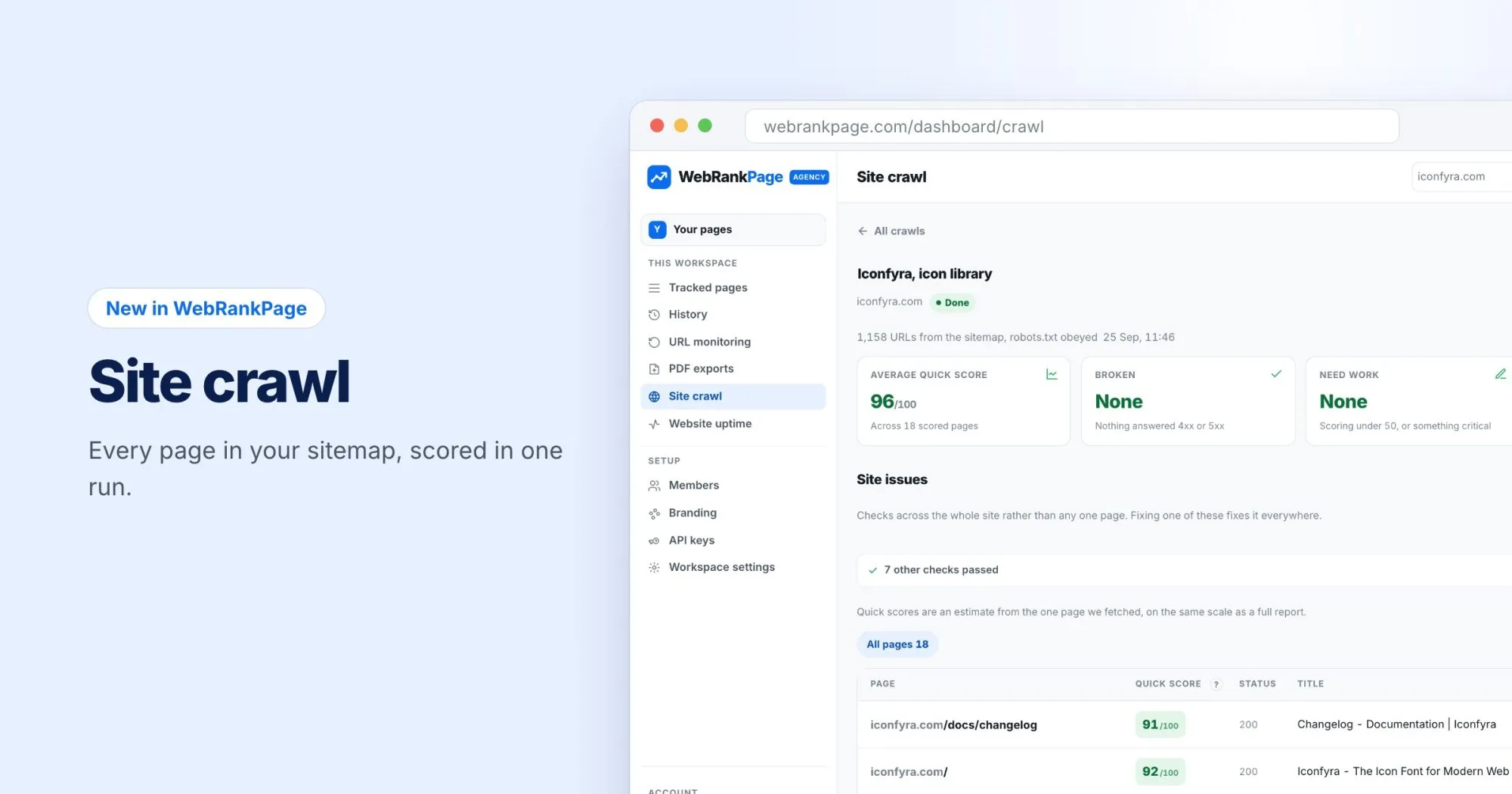
Give it a site and it starts from your sitemap, fetches every page it lists, and gives each one a quick score. It obeys robots.txt, so it only reads what you've published for crawlers.
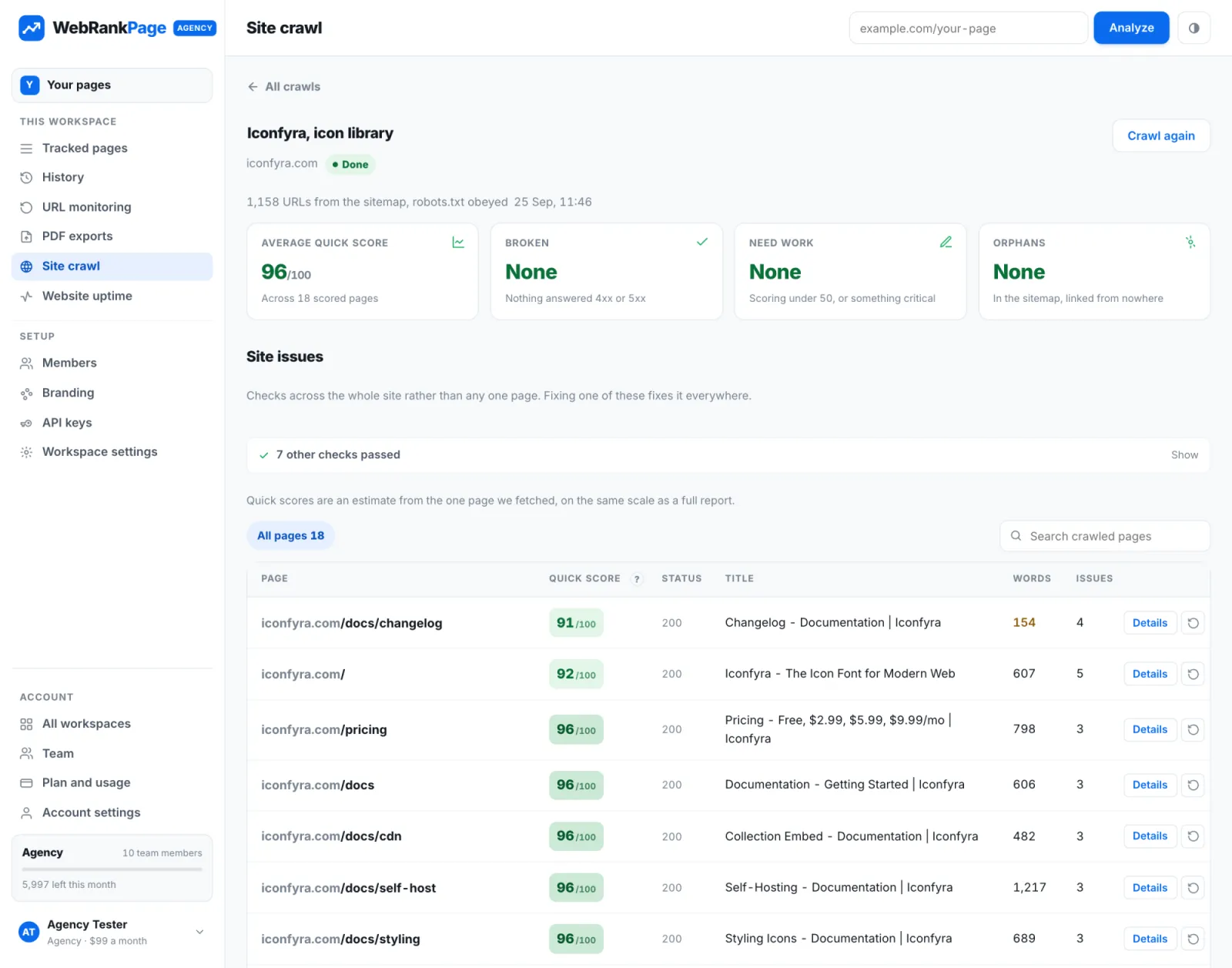
When it's done, you get four numbers at the top:
- Average quick score across every page we could score.
- Broken: pages that answered 4xx or 5xx.
- Need work: pages scoring under 50, or with something critical.
- Orphans: pages in your sitemap that no other page links to.
Below that are site issues: checks about the site as a whole rather than one page. Fix one of these and it's fixed everywhere.
Quick scores, and when to go deeper
Each page in a crawl gets a quick score: an estimate from the single page we fetched, on the same 0 to 100 scale as a full report. It's designed to sort the list so the pages that need attention rise to the top.
When a page looks worth a closer look, click Details for its findings. After you've fixed something, you can fetch just that page again from its row, without re-crawling the whole site.
Why a sitemap first
We start from the sitemap on purpose. It's your own list of the pages you want found, so comparing it with what's actually linked is the most direct way to spot orphans. If your sitemap is missing pages, or listing ones that redirect, that's worth knowing too.
Who gets it
Site crawl is included in the Pro and Agency plans. You'll find it under Site crawl in the dashboard.
What's next
This is the first version. We'd really like to hear what you'd want from it next: scheduled crawls, comparing two crawls, exporting the page list. Tell us what would save you the most time, and we'll use that to decide.