One of the questions I get most often goes something like this: "I published a page three weeks ago and it doesn't show up anywhere. What's wrong with it?"
Before anyone looks at keywords or content, there's a simpler question to answer first: is the page in Google's index at all? If it isn't, nothing else matters yet. Here's how to find out, and what to do about it.
Step 1: The quick check
Search Google for your exact URL with the site: operator:
site:webrankstats.com/blog/your-pageIf the page shows up, it's indexed. If nothing comes back, it probably isn't. I say "probably" because site: isn't perfectly reliable, which is why step 2 exists.
Step 2: The reliable check
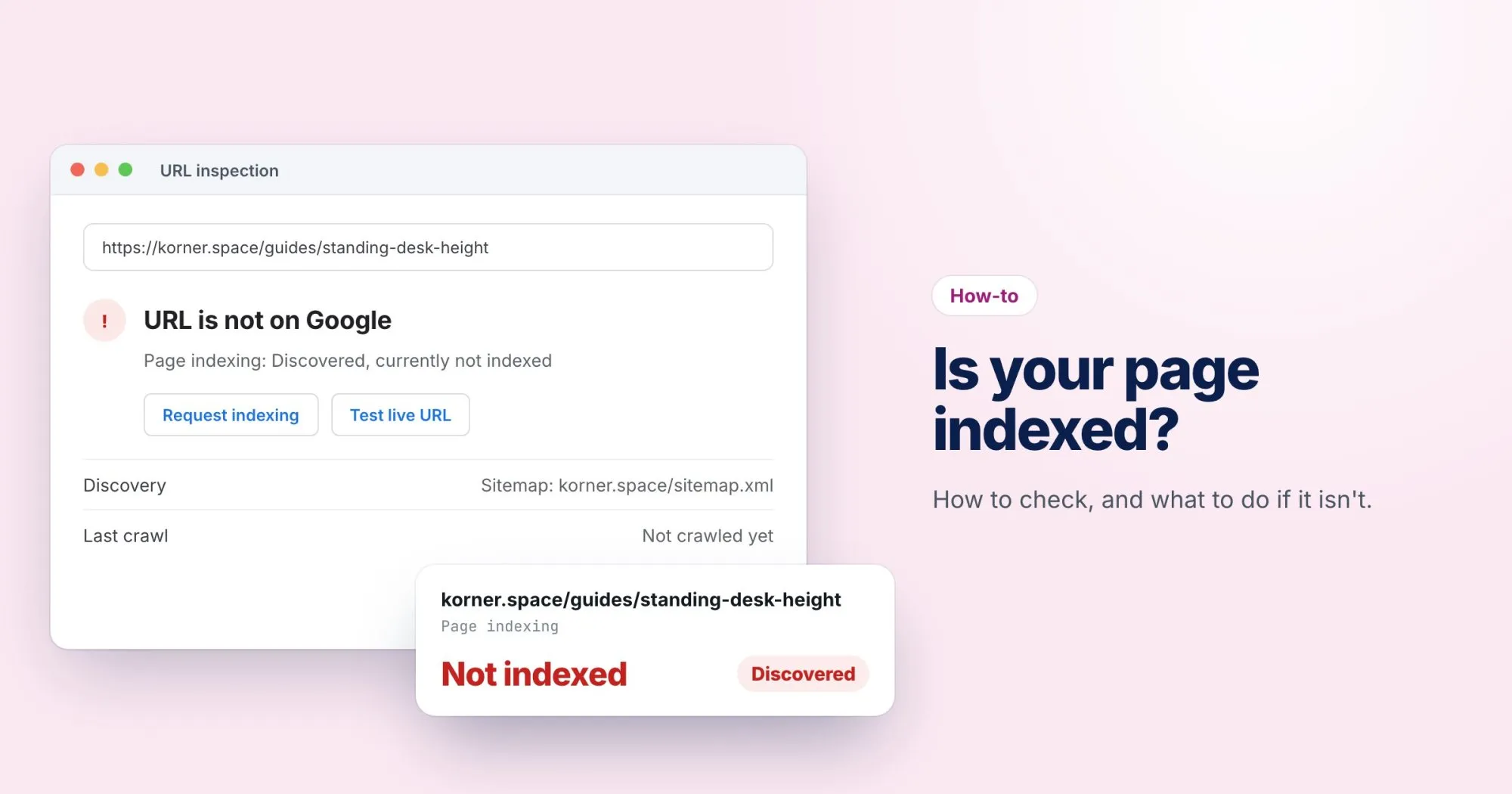
If you have Google Search Console set up (and you should, it's free), paste the full URL into the URL Inspection bar at the top. You'll get one of two answers:
- "URL is on Google": it's indexed. If it isn't ranking, that's a content or competition problem, not an indexing one.
- "URL is not on Google": Search Console will usually tell you why. That reason is the most useful piece of information you'll get.
Step 3: Work through the usual suspects
When a page isn't indexed, it's almost always one of these. Check them in order, because the first ones are the quickest to fix.
A noindex tag
Look in the page source for <meta name="robots" content="noindex">. It's surprisingly common, often left over from a staging site or set by a plugin on a whole category of pages. It can also arrive as an X-Robots-Tag HTTP header, which you won't see in the source.
Blocked by robots.txt
If robots.txt disallows the URL, Google can't crawl it. A rule like Disallow: /blog blocks more than you might think, including /blog-archive. Our free robots.txt tester will tell you exactly which rule matches a URL.
A canonical pointing elsewhere
If the page's canonical tag points to a different URL, you're telling Google that other page is the real one. Google will usually listen and index that one instead.
Not linked from anywhere
A page that nothing links to (an "orphan") is hard for Google to discover and easy for it to deprioritize. Add a link from a related page that's already indexed, and include it in your sitemap.
"Crawled, currently not indexed"
This one is frustrating because nothing is technically wrong. Google visited, then decided the page wasn't worth adding. Usually it's thin, very similar to another page, or not clearly useful. The fix is the page itself: make it more substantial and more distinct.
Step 4: Ask Google to look again
Once you've fixed the problem, go back to URL Inspection and click Request indexing. It's not instant, and it's not a guarantee, but it puts the page back in the queue.
A shortcut
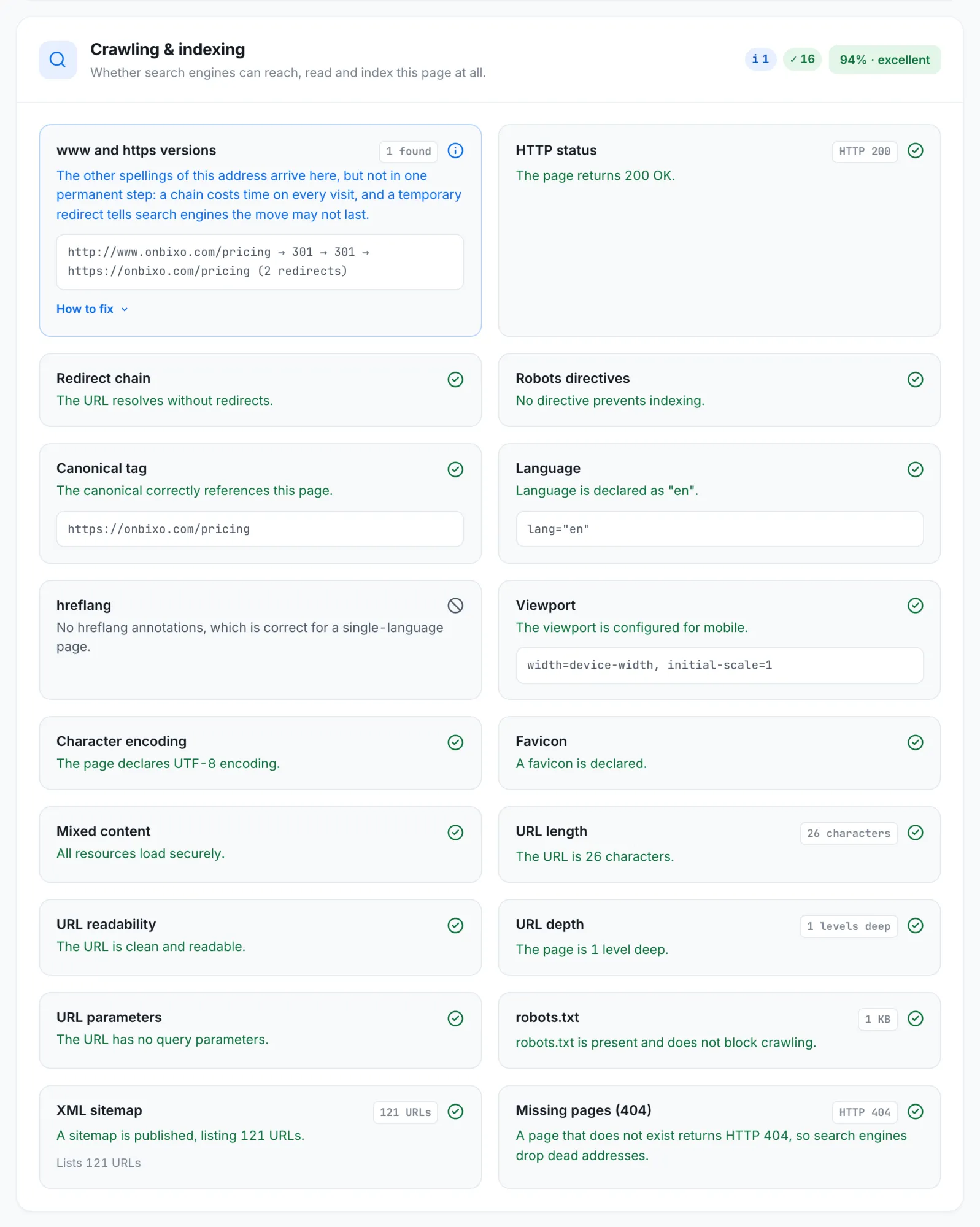
If you'd rather not check each of these by hand, run the page through WebRankPage. The Crawling & indexing section of the report checks the status code, robots directives, the canonical and the robots.txt rules in one go, and tells you which one is the problem.
And if you've checked everything and you're still stuck, email us. We're happy to take a look.