You've signed a new client. They're excited, a little impatient, and expecting to see something soon. What you do in the first week shapes how the next twelve months go.
After a lot of conversations with agencies, this is the checklist I'd hand to anyone starting with a new client. It's not complicated. The value is in doing all of it, every time.
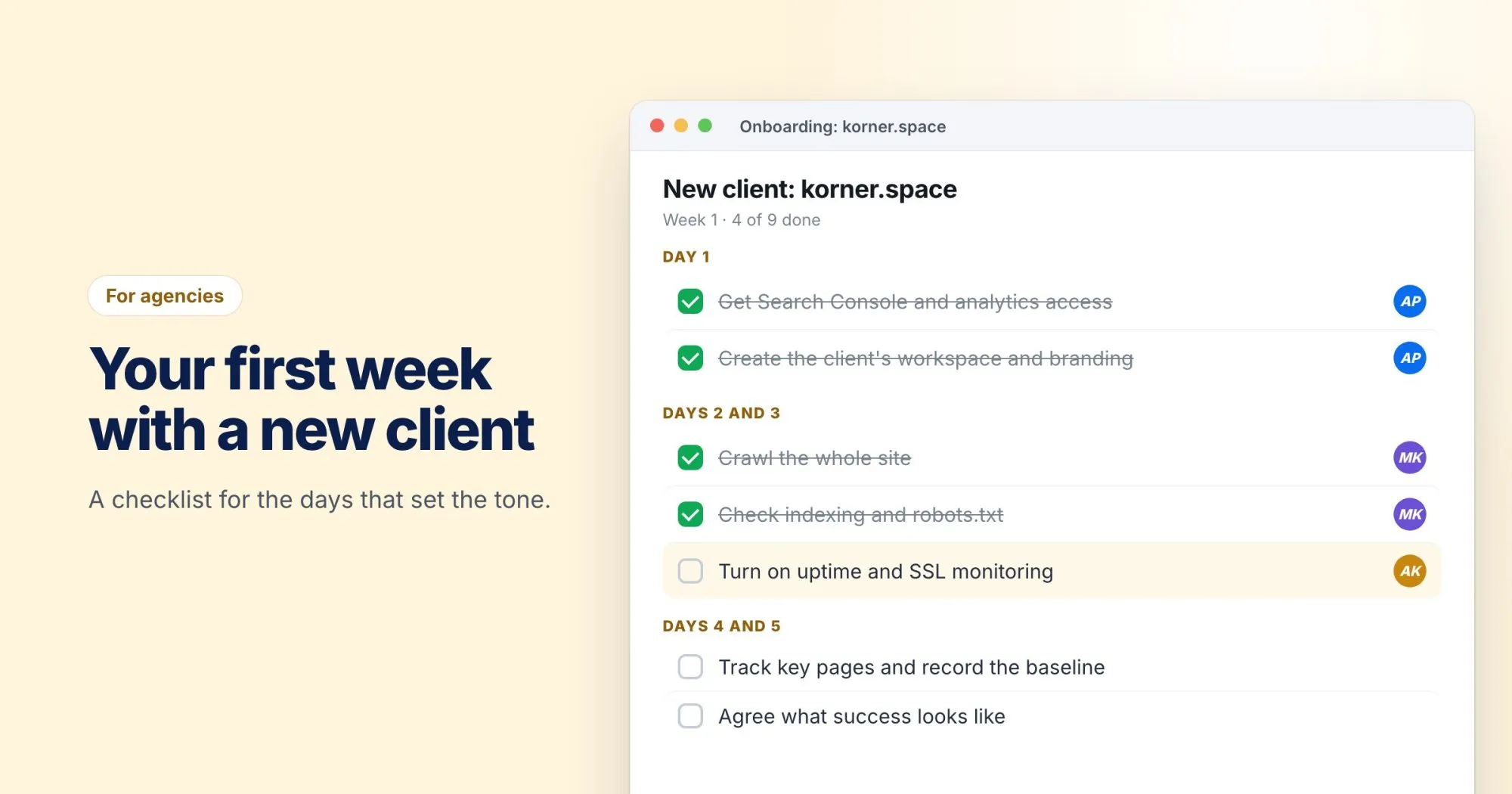
Day 1: Get access to everything
Nothing slows a project down like waiting three weeks for a login. Ask for all of it on day one, in one email:
- Google Search Console (with full permissions, not restricted)
- Google Analytics, or whatever analytics they use
- The CMS, or at least a contact who can make changes
- Their domain registrar and DNS provider, or someone who can reach them
- Any previous SEO reports or audits
Make a note of who owns each account. You'll need to know when something breaks at 9pm.
Day 1: Set them up properly in your tools
Create a separate workspace for the client in WebRankPage, add their branding for reports, and invite only the people who'll work on the account. Keeping clients apart from the start saves a lot of untangling later.
Days 2 and 3: Find what's urgent
Before any strategy, look for things that are actively hurting them right now. In my experience there's often at least one:
- Crawl the whole site. Look for broken pages, pages that need work, and orphans.
- Check indexing in Search Console. Are the important pages actually indexed? Is there a stray
noindex? - Check robots.txt. Is it blocking something it shouldn't?
- Check the certificate. When does it expire? Who renews it?
- Run full reports on the five most important pages. Usually the homepage, the main service or product pages, and the top landing page.
If you find something urgent, tell the client the same day and fix it first. An early win is worth a lot, and it shows them you're paying attention.
Day 3: Turn on monitoring
Add uptime and SSL monitoring for their main domain. It takes two minutes, and it means that if the site goes down or the certificate is about to expire, you'll know before the client does.
Day 4: Set the baseline
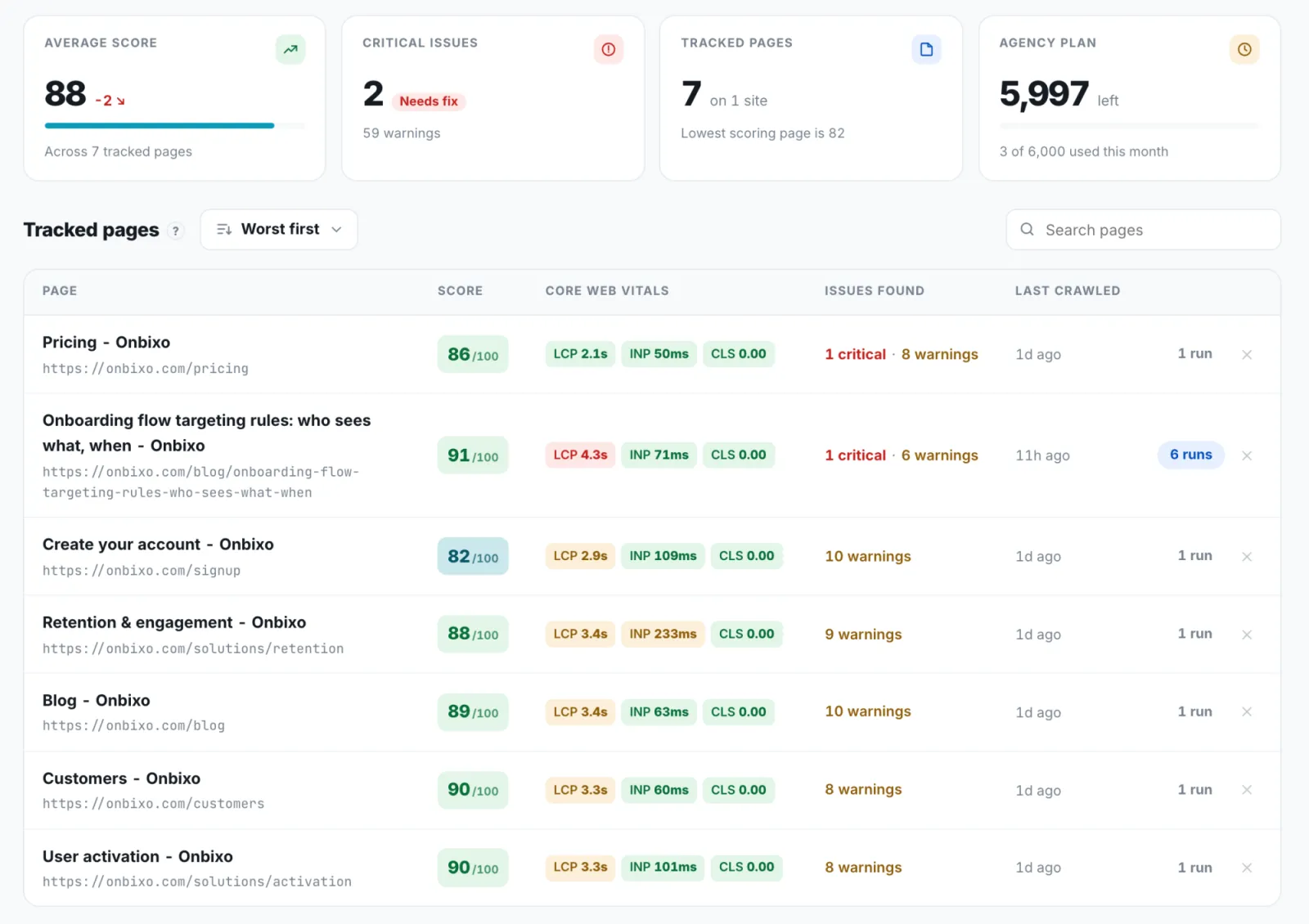
Track the pages that matter and record where everything stands: scores, impressions, clicks, positions for the terms they care about. Six months from now, this is the comparison that proves your work was worth paying for.
Day 5: Agree on what success means
This is the conversation most agencies skip, and it's the one that causes the most trouble later. Sit down with the client and agree, in writing:
- What they want more of: leads, sales, signups, calls?
- Which pages and topics matter most to their business?
- What a realistic timeline looks like. (SEO rarely shows results in the first month, and it's better they hear that from you now.)
- How and how often you'll report.
End of week 1: Send a short summary
One page. What you found, what you've already fixed, what you'll focus on next, and why. Clients remember the first report far longer than the tenth. Make it clear, honest and useful.
If you run your onboarding differently and it works, I'd love to hear how. Send me a note.