Earlier this month, Monika wrote about how AI assistants choose which pages to quote. The most common follow-up question we got was: "Should we even let them in?"
It's a fair question, and the honest answer is that it depends on what your content is for. Here's how I'd think it through.
Not all AI crawlers do the same job
It helps to separate two kinds of bot, because they're often lumped together:
- Training crawlers collect content to train future AI models. Your page might shape what a model "knows", but there's no link back to you when it uses that knowledge.
- Search and answer crawlers fetch pages in real time to answer a specific question, and usually cite the source. These are the ones that can send you visitors.
Some companies run separate bots for each job, which means you can often allow one and block the other.
A simple way to decide
If your content exists to bring people to you
Blog posts, guides, product pages, documentation. The whole point is to be found. Blocking the answer crawlers here usually costs you more than it protects, because the people asking questions are the people you want to reach.
If your content is the product
Paid research, a subscription publication, a premium course. Here, an AI assistant summarizing your work for free is a real problem, and blocking (at least the training crawlers) makes sense.
If you're somewhere in between
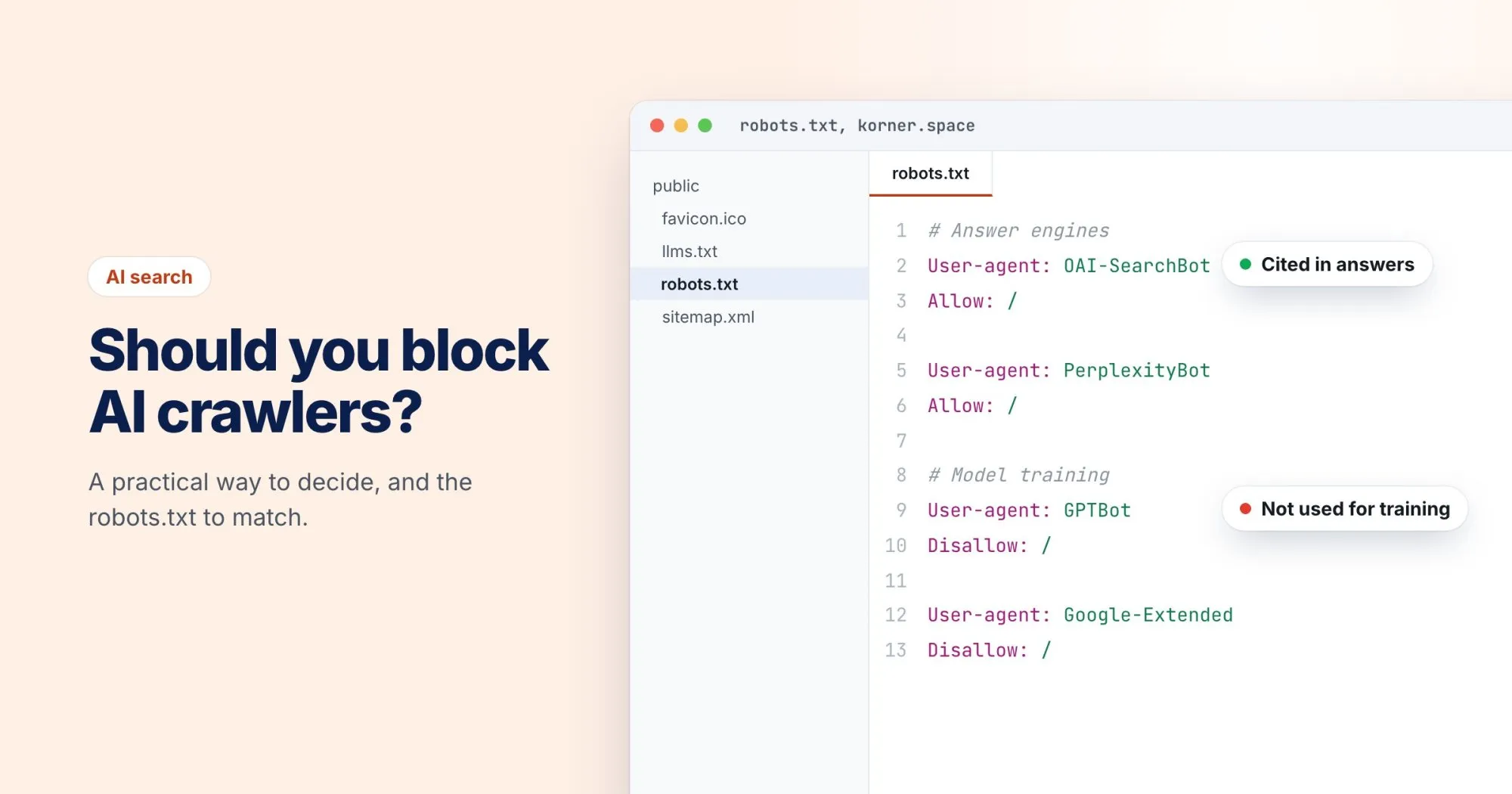
Many sites are. A common middle ground is to allow the search and answer crawlers, so you can be cited, while blocking the training crawlers.
What it looks like in robots.txt
Bot names change, so check each company's current documentation before you rely on these. As an example of the middle-ground approach:
# Allow assistants that fetch pages to answer questions
User-agent: OAI-SearchBot
Allow: /

User-agent: PerplexityBot
Allow: /

# Opt out of model training
User-agent: GPTBot
Disallow: /

User-agent: Google-Extended
Disallow: /
A couple of things to know:
Google-Extendedcontrols whether Google uses your content for its AI models. It doesn't affect normal Google Search.- robots.txt is a request, not a lock. Reputable companies honor it; it won't stop a scraper that ignores the rules.
Check what you're actually doing today
The most common situation we see isn't a deliberate choice at all. It's an old User-agent: * rule, a security plugin, or a CDN setting that blocks AI bots without anyone realizing.
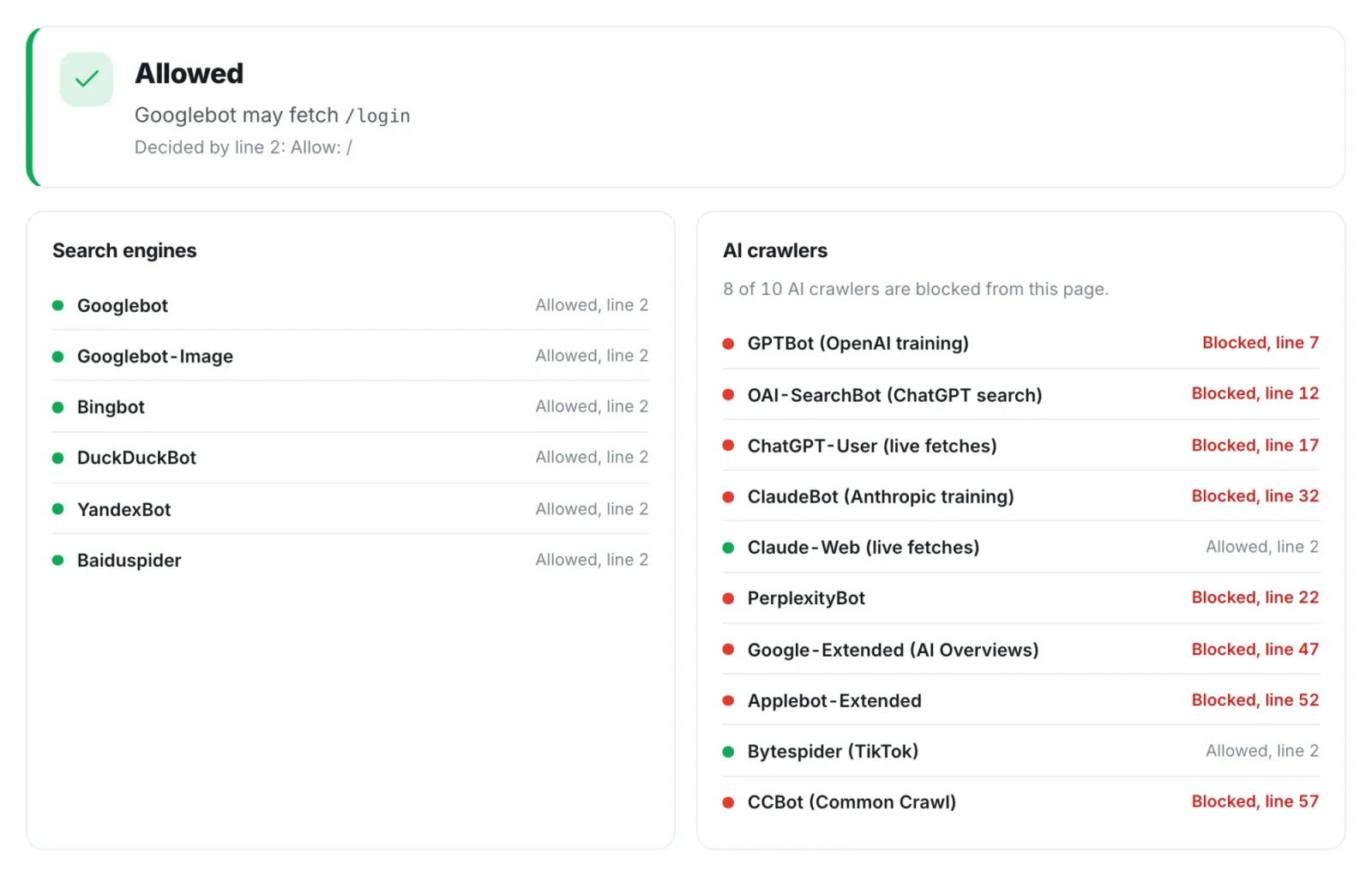
So before you decide anything, find out where you stand. Our free robots.txt tester lets you check any URL against a specific user agent. And the AI & answer readiness section of every WebRankPage report lists which AI crawlers your robots.txt currently allows and which it blocks.
Whatever you decide, decide it on purpose. That's really the whole point of this post.